
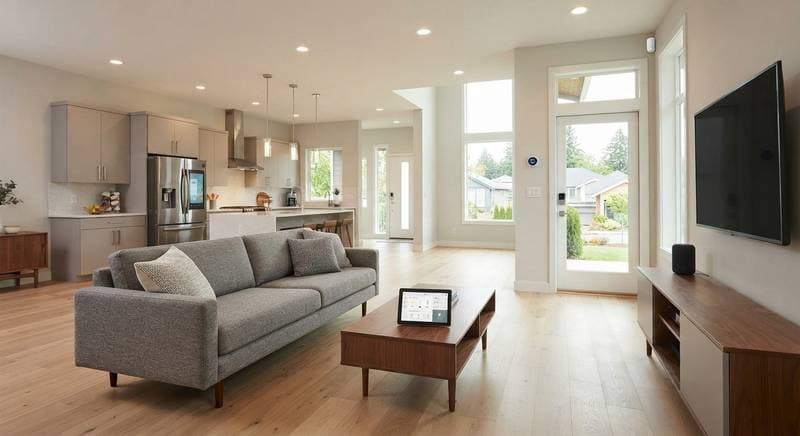
Smart Home Retrofit Costs: A Practical Budget Breakdown
You return home carrying grocery bags in both hands, and the porch light turns on before you reach the steps. Inside, the thermostat has already adjusted the temperature, while a leak sensor quietly monitors the laundry room. These small conveniences can make an older home feel more responsive without requiring a complete renovation or dramatic technology overhaul.
The most effective retrofit begins with a clear question: which recurring annoyance, energy expense, or safety concern should the system solve first? Costs range from about $100 for a few connected bulbs and plugs to several thousand dollars for professionally installed, integrated controls. Your home wiring, internet coverage, device compatibility, and appetite for ongoing maintenance shape the final budget.
Key Points Before You Set a Budget
A focused, do-it-yourself starter setup often costs $250 to $800, excluding a new router or major electrical work. A broader retrofit covering lighting, climate, entry, and leak detection commonly costs $1,000 to $4,000. Professional installation, hardwired controls, and custom integration can raise costs to $5,000 to $15,000 or more.
Check Wi-Fi coverage, device compatibility, and electrical box wiring before buying equipment. Buy in stages. A small system that solves a real problem is more useful than a box of incompatible gadgets.
Prices vary by region, labor availability, home size, and product tier. In high-cost urban markets, electrical labor and smart-device installation may run 20 to 40 percent above rates in lower-cost areas. Treat the ranges below as planning estimates, then request local quotes for work involving wiring or panel changes.
What a Smart Home Retrofit Usually Includes
A retrofit adds connected devices to an existing home, rather than replacing its core systems. Common categories include lighting, thermostats, locks, cameras, doorbells, sensors, and voice or app controls. Some devices operate independently. Others need a hub, bridge, or compatible platform to communicate.
A modest setup might include smart bulbs in a living room, a thermostat, and a few leak sensors. A more integrated plan could connect lighting scenes, door locks, cameras, garage access, and heating schedules. The difference is not simply the number of devices. It is how reliably they work together and how much time you spend configuring them.
Before shopping, list the routines you want to improve. For example, a parent may want a door sensor and light that help an older relative move safely at night. A frequent traveler may value leak alerts and a remotely controlled thermostat. A renter may prefer plug-in devices that can move to a new home.
Typical Costs by Device and System
The following ranges include common consumer products, but not extensive repairs or custom programming. Installation fees can vary widely.
| Upgrade | Typical equipment cost | Common installation cost |
|---|---|---|
| Smart bulbs or switches | $15 to $80 per bulb, $25 to $100 per switch | $0 to $150 per switch |
| Smart plug | $10 to $40 each | Usually DIY |
| Smart thermostat | $100 to $350 | $100 to $300 |
| Smart lock | $100 to $350 | $50 to $200 |
| Video doorbell | $60 to $250 | $75 to $250 |
| Indoor or outdoor camera | $40 to $300 each | $0 to $250 each |
| Leak or contact sensor | $15 to $80 each | Usually DIY |
| Hub or bridge | $40 to $250 | Usually DIY |
| Router or mesh Wi-Fi system | $100 to $500 | $0 to $200 |
A few devices can also require subscriptions. Cloud video storage, advanced alerts, and some monitoring services may cost $3 to $30 per month per service, depending on the provider and plan. Read the subscription terms before purchasing, especially if local recording is important to you.
Sample Budgets for Three Retrofit Levels
A simple starter setup: $250 to $800
This tier suits someone who wants convenience without rewiring. A sample list might include four smart bulbs, two smart plugs, a basic hub if needed, two leak sensors, and a compatible smart speaker or control panel.
Installation is usually a weekend task, with two to five hours for setup and testing. The biggest hidden cost may be a weak Wi-Fi signal, not the hardware. Start with devices in one room, confirm that they respond consistently, then expand.
A whole-home comfort and security package: $1,000 to $4,000
This budget can cover a smart thermostat, several switches or bulbs, a video doorbell, two or three cameras, a smart lock, leak sensors, and a mesh network. Many homeowners can install plug-in devices and sensors themselves, while hiring an electrician for switches or unfamiliar wiring.
Expect one to three weekends for purchasing, installation, app setup, and troubleshooting. A smart thermostat may save energy when it is programmed around real occupancy patterns, but savings are not guaranteed. Insulation, local utility rates, heating equipment, and household habits all matter. Compare actual bills over time rather than treating projected savings as a promise.
A professionally integrated retrofit: $5,000 to $15,000 or more
This level may involve multiple zones, hardwired lighting controls, motorized shades, access systems, whole-home audio, and a central controller. Custom programming and coordination between trades add cost. Larger homes, older wiring, and difficult access can push estimates higher.
Ask for an itemized scope that separates equipment, labor, configuration, network improvements, and ongoing service. A good proposal should also explain what happens if a device loses internet access or a platform changes its software.
How to Build a Budget That Holds Up
Start by separating must-haves from appealing extras. Safety and damage prevention often deliver the clearest value. A leak sensor under a washing machine or water heater can provide an early warning, while a smart lock may solve a practical access problem. Decorative lighting scenes are enjoyable, but they can wait if the network needs attention first.
Use this sequence:
- Check your network. Test Wi-Fi in the rooms where devices will go. Cameras and video doorbells need reliable signal, while a mesh system may help in a large or multi-level home.
- Inspect compatibility. Confirm whether a device works with your phone, preferred voice assistant, hub, and existing wiring. Avoid buying several products based only on a retailer broad compatibility label.
- Price the full system. Include hubs, bridges, batteries, installation, subscriptions, and possible electrical work.
- Choose one platform where practical. A consistent ecosystem reduces app clutter and makes routines easier to manage.
- Expand after testing. Live with the first group of devices long enough to identify glitches, confusing controls, or features you do not use.
For sustainability, keep working fixtures and appliances when possible. A smart switch can add scheduling to an existing light, and a plug can control a compatible lamp without replacing it. Buy devices with replaceable batteries or local control options when available. Repairing and adapting sound equipment can reduce electronic waste and preserve the character of an older home.
DIY or Hire a Professional
Plug-in lamps, sensors, and many battery-operated devices are suitable for careful DIY installation. Follow the manufacturer instructions, use strong unique passwords, enable multifactor authentication when offered, and install software updates. Keep cameras out of private spaces, and review who can access recordings.
Hardwired switches and thermostats need more judgment. Turn off the circuit at the breaker and verify power is off with a suitable tester before opening an electrical box. A neutral wire may be required by some smart switches, and older homes may lack one. Never assume wire colors or device labels tell the whole story.
Hire a licensed electrician when wiring is damaged, box space is crowded, the circuit is unclear, or a device requires changes to the panel. Local electrical codes may govern switch installation, low-voltage wiring, smoke alarms, and permit requirements. Do not bypass a required permit to save a small amount. Professional help is also sensible for integrated security systems, motorized shades, or equipment that must coordinate with heating and cooling controls.
A useful decision rule is simple: if the task involves opening a panel, altering fixed wiring, or diagnosing an unfamiliar circuit, get a qualified professional. Ask for proof of licensing and insurance where required, plus a written estimate.
Common Cost Traps and Troubleshooting
Buying devices before checking wiring can leave you with switches that cannot be installed as planned. Photograph the existing switch box and consult the product requirements before ordering. If the wiring does not match, ask an electrician about compatible alternatives.
Adding cameras without improving Wi-Fi can lead to delayed alerts and choppy video. Test signal at the exact mounting location, not just in the hallway. A mesh node or access point may solve the problem, though placement matters.
Mixing platforms without a plan can create several apps and routines that conflict. Check whether key devices support a shared standard or a common hub. If dependable local operation matters, confirm that essential controls still work when the internet is down.
Overlooking privacy and service fees can make a low purchase price expensive later. Review storage limits, subscription requirements, data settings, and the process for deleting recordings. For a door lock or thermostat, retain a manual backup method.
Maintaining Your Investment
A connected home needs occasional care. Review device access when household members move in or out, replace batteries according to alerts, clean camera lenses, and test leak sensors by following the manufacturer instructions. Keep a simple inventory of device names, apps, warranties, and reset steps. That record is especially helpful when a router is replaced or a phone changes.
Seasonal checks are useful. Before colder weather, confirm that thermostats and freeze alerts work in vulnerable areas. Before a trip, test door sensors, camera notifications, and water shutoff plans. In hot weather, check outdoor cameras and doorbell seals for heat or moisture exposure.
Planning Your First Retrofit Phase
Identify the single problem you want to solve first. Focus on that device or system, confirm your network can support it, and test the installation before expanding. This approach prevents overspending and ensures each addition delivers real value to your daily routine.