
Estimate 2026 Smart Home Upgrade Costs Effortlessly
Homeowners often dream of transforming their living spaces into efficient, automated environments but pause when faced with unclear expense projections. Costs for smart home upgrades can appear daunting and variable, yet a structured approach simplifies the planning process. This guide provides step-by-step methods to forecast investments accurately, covering price ranges, installation options, and strategies to avoid common oversights.
Understanding the Smart Home Cost Framework
Organize any smart home project by dividing it into three essential categories to clarify priorities and streamline budgeting. These groups form the foundation for scalable upgrades that integrate seamlessly over time.
- Core Infrastructure: Focus on foundational elements such as smart hubs, enhanced routers, and necessary wiring modifications. These components ensure reliable connectivity and support for all connected devices.
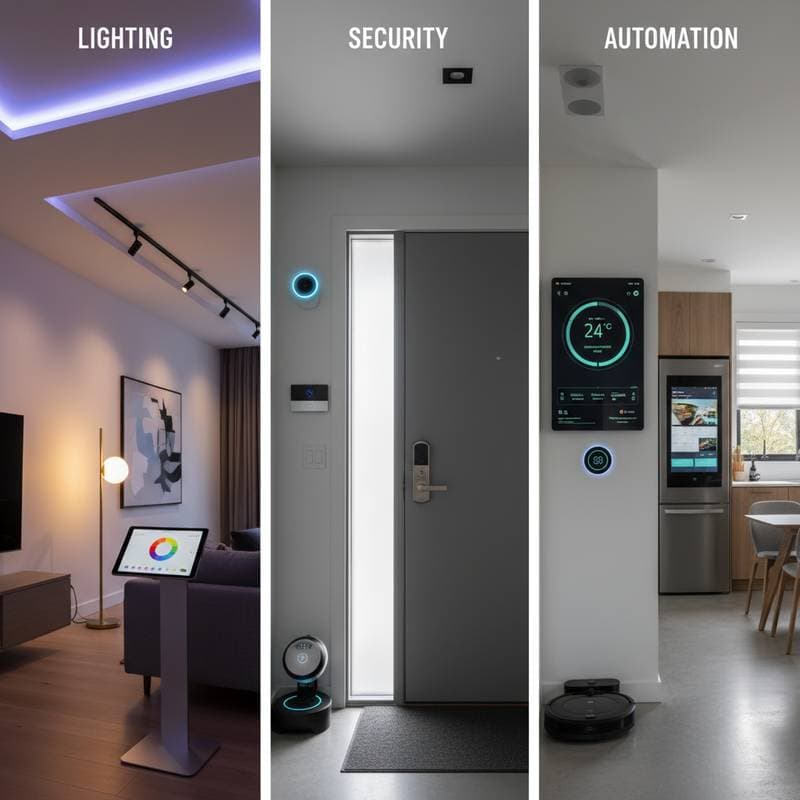
- Functional Systems: Target practical automations like lighting controls, security setups, heating and cooling systems, and smart appliances. Such features handle routine tasks to enhance daily efficiency.
- Lifestyle Enhancements: Incorporate elements that elevate comfort and entertainment, including voice-activated interfaces, automated blinds, and integrated audio systems. These additions personalize the home experience.
This categorization allows homeowners to start with basics and expand gradually, reducing the risk of incompatible or redundant purchases.
Typical Cost Ranges for Key Upgrades
Expenses for smart home components fluctuate based on factors like device durability, manufacturer reputation, and setup demands. The following table outlines realistic estimates for common upgrades, helping to establish a preliminary budget.
| Upgrade Type | DIY Estimated Cost | Professional Installed Cost | Notes |
|---|---|---|---|
| Smart Lighting (whole home) | $400 - $1,000 | $800 - $2,000 | Covers LED bulbs, dimmer switches, and mobile app configuration |
| Smart Thermostat | $150 - $300 | $300 - $600 | Potential for significant energy bill reductions to recoup expenses |
| Security System | $300 - $700 | $800 - $2,500 | Encompasses cameras, motion sensors, and alert mechanisms |
| Voice Assistants and Hubs | $100 - $500 | $200 - $700 | Varies by compatibility with existing ecosystems like Alexa or Google |
| Smart Plugs and Outlets | $20 - $40 each | $50 - $100 each | Ideal starting point for testing automation without major commitments |
| Whole-Home Automation System | $1,500 - $5,000 | $4,000 - $10,000+ | Involves centralized control panels and multi-device synchronization |
These figures serve as benchmarks; always include allowances for Wi-Fi enhancements and ongoing service subscriptions to maintain full functionality.
Estimating Installation and Integration Costs
Purchasing hardware represents only part of the equation; seamless operation requires thoughtful integration. Overlook this phase, and devices may underperform or demand costly fixes later.
For self-managed setups, allocate several hours to app pairings, account synchronizations, and initial testing. This method minimizes financial outlay but demands familiarity with technical interfaces.
Professional services, typically billed at $75 to $150 hourly, prove valuable for intricate configurations. In a standard three-bedroom home pursuing moderate automation, expect integration fees to range from $1,000 to $3,000, depending on the number of interconnected elements.
Calculating Return on Investment
Beyond immediate conveniences, smart upgrades deliver tangible financial and practical returns. Evaluate these benefits to justify expenditures and track progress over time.
Smart thermostats and automated lighting often cut energy consumption by 10 to 20 percent, translating to annual savings of $50 to $200 on utility statements. Security enhancements may qualify for insurance premium reductions of up to 10 percent through verified monitoring features.
During property sales, integrated systems appeal to modern buyers, potentially increasing home value by 3 to 5 percent. To compute ROI, subtract yearly savings from initial costs; for instance, a $500 thermostat outlay recovering $100 annually achieves breakeven in five years.
DIY vs. Professional Decision Framework
Select the installation path by assessing personal expertise, project scope, and performance expectations. The table below guides this choice based on specific scenarios.
| Situation | Recommended Approach |
|---|---|
| Small-scale tasks like plugs or lights | Opt for DIY to control costs and gain hands-on experience |
| Comprehensive automation across rooms | Engage professionals for flawless multi-brand harmony |
| Limited tech knowledge or busy schedule | Delegate to certified technicians for assured results |
| Integration with new builds or renovations | Plan professional involvement early for optimal wiring |
Hybrid approaches work well: manage simple installations independently while consulting experts for advanced networking.
Troubleshooting Budget Mistakes
Projects derail when overlooked details inflate totals unexpectedly. Address these frequent issues proactively to maintain fiscal control.
Assess current internet strength before purchasing; invest $100 to $300 in mesh networks if signals falter, preventing device dropouts. Verify device interoperability via manufacturer specs to sidestep $200 to $500 in rework fees.
Prioritize expandable platforms like Zigbee-compatible hubs, which accommodate future additions without full overhauls. Balance form and function by starting with utilitarian setups, reserving premium finishes for later phases.
Smart Timing and Seasonal Considerations
Align upgrades with market cycles and home activities to optimize savings and convenience. Monitor events like Black Friday or Amazon Prime Day for discounts up to 30 percent on popular brands.
Schedule outdoor installations during spring or fall to avoid extreme temperatures that complicate wiring. Coordinate with broader renovations, such as kitchen remodels, to bundle electrical updates and minimize disruptions.
Maintaining Long-Term Value
Sustain system performance through routine care, ensuring longevity and security. Regular firmware updates patch vulnerabilities and introduce efficiency improvements.
Document setups in digital backups to facilitate recovery after additions or resets. Conduct quarterly checks on sensors and routines to catch issues early, avoiding emergency repairs.
Schedule battery replacements for wireless components annually, budgeting $50 to $100 yearly. This disciplined upkeep extends device lifespans and preserves the investment's worth.
Essential Strategies for Effective Implementation
Select reputable brands with strong support networks to minimize downtime. Begin with a single category, like security, to test compatibility before scaling.
Consult local installers for site-specific advice, such as signal interference from thick walls. Track expenses via spreadsheets to monitor variances and adjust plans dynamically.
Focus on user-friendly interfaces that require minimal daily input, enhancing adoption across household members. These steps ensure upgrades deliver sustained convenience and value.