
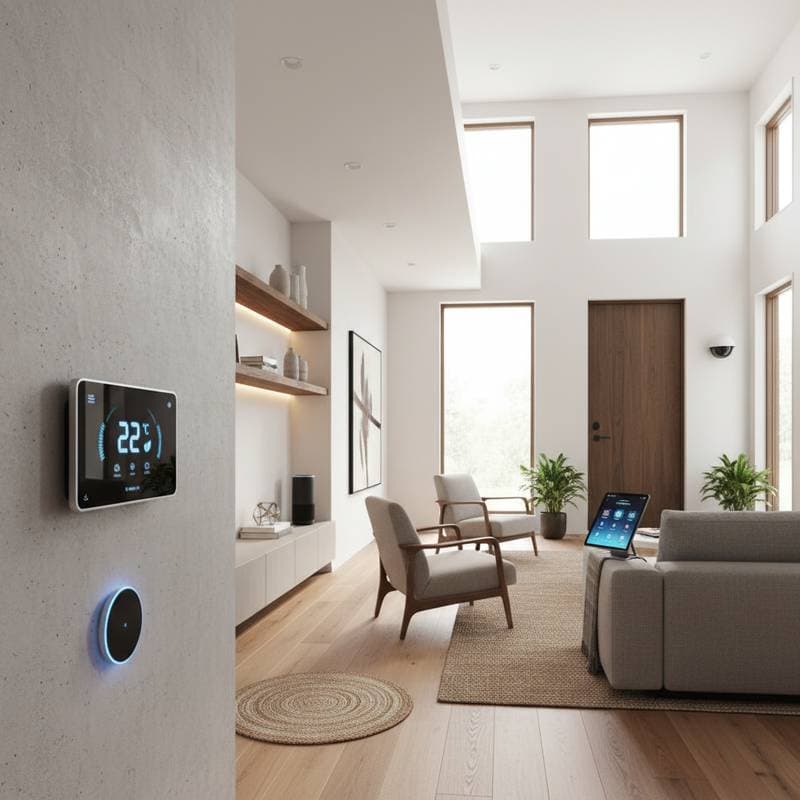
Smart Home Technology: Cost-Effective Upgrades for 2026 Remodels
Homeowners seek ways to modernize living spaces while controlling expenses. Smart technology now offers practical solutions that integrate into remodels without excessive costs. These upgrades enhance efficiency, increase property value, and simplify daily routines.
Essential Considerations
- Budget-friendly smart features align with various remodel scales.
- Automation for energy savings often recoups initial investments quickly.
- Many devices support do-it-yourself installation, though some benefit from professional expertise.
- Prioritize options that advance comfort, security, and market appeal.
Energy-Efficient Lighting Solutions
Smart LED lighting reduces energy consumption by up to 50 percent relative to conventional bulbs. Automation features adjust brightness according to schedules or occupancy detection. Initial kits, including a hub and multiple bulbs, range from $100 to $250.
For comprehensive remodels, install hardwired smart switches compatible with voice assistants and apps. Each switch costs $60 to $120, with professional installation adding $125 to $250 per site. These systems eliminate manual adjustments and yield prompt reductions in electricity bills.
Homeowners report fewer instances of entering unlit areas, which improves safety and convenience. Select bulbs with warm color temperatures for living spaces and cooler tones for task-oriented rooms to optimize ambiance.
Climate Control Systems for Sustained Efficiency
Smart thermostats rank as one of the highest-return investments. Models priced at $150 to $300 decrease heating and cooling expenses by 10 to 20 percent. Adaptive algorithms learn user patterns and make automatic adjustments to maintain ideal conditions.
During remodels, incorporate zoning for multi-area temperature management. Such setups may exceed $800, yet they ensure even distribution and greater overall savings. Engage a certified HVAC professional to modify ducts or wiring, preserving equipment warranties.
Regular use of these devices prevents overworking of systems, extending their lifespan. Program setbacks for unoccupied periods, such as nighttime or work hours, to maximize benefits.
Remote-Access Security and Safety Features
Contemporary smart security eliminates the need for costly contracts or intricate setups. Wireless cameras, doorbells with video, and motion detectors install in a few hours. Entry-level packages cost $250 to $600, with optional cloud storage fees of $5 to $20 monthly.
Integrate smart locks during door or window renovations. Prices per lock fall between $150 and $300, including professional fitting if desired. These allow remote access for visitors and quick code changes, avoiding traditional rekeying expenses.
Verify compliance with local privacy laws and secure home networks with robust passwords and two-factor authentication. Position cameras to cover entry points without invading neighbor privacy. Test alerts regularly to confirm reliable notifications.
Water and Energy Monitoring Tools
Water monitors prove valuable in plumbing-inclusive remodels. These units identify leaks promptly and halt water flow to avert flooding. Devices cost $200 to $500, plus installation, potentially preventing repairs worth thousands.
Smart plugs and monitors track appliance energy use to reveal inefficiencies. A four-plug set ranges from $50 to $100 and links via Wi-Fi. Analyze data to identify high-consumption items and modify habits accordingly.
Install monitors on major lines like the water heater or irrigation system for broad coverage. Pair energy insights with utility rate schedules to time usage during off-peak hours.
Strategic Planning and Budget Allocation
Dedicate 5 to 10 percent of the remodel budget to smart integrations. Target high-impact areas like thermostats, lighting, and leak prevention for tangible returns. Assess household needs to avoid unnecessary expenditures.
Steer clear of extravagant features such as advanced control panels or media hubs, which may surpass $2,000 and offer limited value unless aligned with property style. Confirm interoperability across devices, favoring unified platforms from leading assistants.
Create a phased rollout: begin with core systems, then expand based on performance. Consult compatibility charts from manufacturers to build cohesive networks.
Practical Implementation Advice
- Evaluate Wi-Fi coverage in target areas prior to device placement.
- Label electrical circuits to streamline wiring and upkeep.
- Maintain records of configurations, credentials, and setup details for reference.
- Investigate utility rebates for qualifying energy-efficient installations.
Sustaining Smart System Performance
Regular maintenance ensures ongoing reliability. Perform firmware updates to address security issues and enhance functionality. Swap batteries yearly and refine automation rules to match evolving routines.
These investments transform homes into intuitive environments. Residents experience lower bills, heightened security, and elevated comfort levels. As technology advances, such upgrades position properties favorably in competitive markets.