
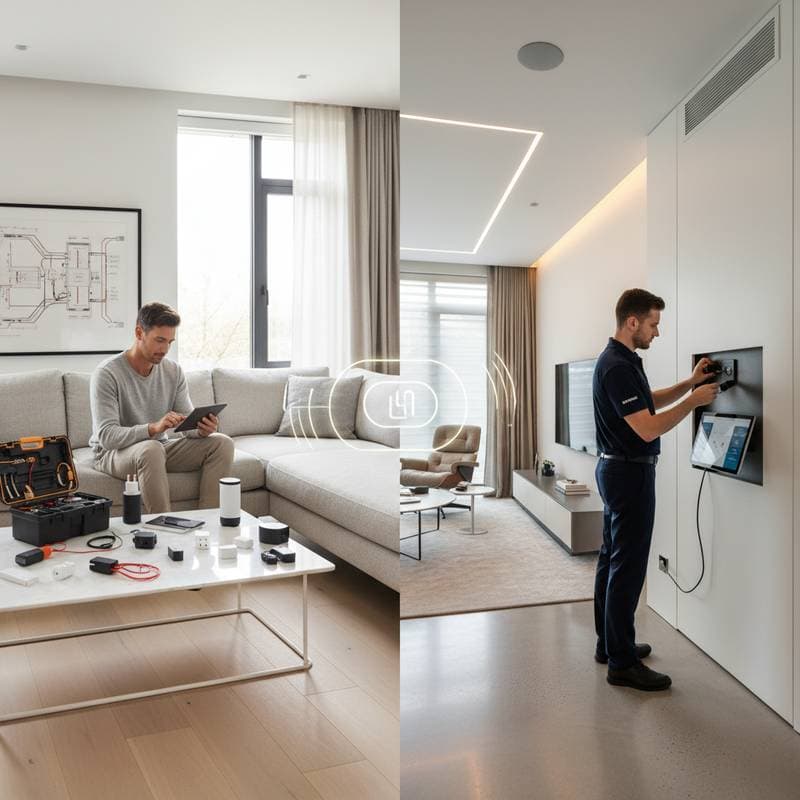
DIY or Pro: Unlock the Best Smart Home Setup
Imagine your morning routine enhanced by lights that gradually brighten, a coffee maker that activates automatically, and music that starts playing as you rise. Smart home technology makes such scenarios possible. The key decision involves choosing between a do-it-yourself approach or hiring professionals, based on your living space, technical skills, and automation goals.
This choice influences daily functionality, system security, and personal involvement. Homeowners must weigh these factors to select the method that aligns with their needs.
The DIY Smart Home Experience
Do-it-yourself smart home setups gain popularity through user-friendly devices that integrate via mobile applications and voice controls. These systems provide immediate access and customization options. Users purchase components, follow installation instructions, and activate features without delay.
Essential Tools and Required Skills
Basic tools suffice for most do-it-yourself projects:
- Screwdriver sets for securing sensors and devices.
- Drills for installing wall mounts and organizing cables.
- Wi-Fi analyzers to verify signal strength.
- Smartphones or tablets for configuration applications.
Patience proves essential during setup. Devices typically include step-by-step guides, yet coordinating multiple units requires consistent device labeling and network oversight. Users benefit from practicing these steps on a single device before scaling up.
Cost and Time Considerations
A foundational do-it-yourself system often comprises:
- Smart lighting kits: Options from Philips Hue or LIFX range from 100 to 200 dollars for several bulbs and a central hub.
- Smart thermostats: Prices fall between 150 and 250 dollars, varying by model and capabilities.
- Security cameras: Battery-powered units cost 80 to 250 dollars per camera.
- Smart plugs and switches: Each unit expenses 20 to 60 dollars.
For a compact apartment, the total investment spans 600 to 1200 dollars. Expect to dedicate one or two weekends to installation, including testing connections.
Benefits and Potential Drawbacks
The primary advantage of do-it-yourself installation involves the fulfillment derived from completing the project independently. Users develop knowledge of device interactions, improve problem-solving abilities, and modify configurations easily. These experiences build long-term confidence in managing the system.
Challenges arise in maintaining consistent performance. Network interruptions, software updates, and compatibility issues across brands can disrupt operations. Tech enthusiasts view these as opportunities for learning, while novices may encounter ongoing difficulties.
Hybrid Approaches to Smart Home Integration
Many homeowners opt for a combination of do-it-yourself and professional methods to achieve optimal results. This strategy allows initial self-installation of simple components, followed by expert assistance for advanced features.
For instance, individuals can set up smart bulbs and outlets personally, then engage professionals to link them to a unified control hub during system expansion. Such methods control expenses while preserving adaptability for future changes.
Hybrid options suit renters anticipating relocation. Movable devices like plugs and cameras remain under personal control, whereas fixed elements such as thermostats or wired alarms benefit from professional installation to comply with lease terms and ensure safety.
Evaluating Ongoing Maintenance Needs
Smart homes require continuous attention as technology advances. Differences between do-it-yourself and professional installations emerge clearly in upkeep demands.
Do-it-yourself setups place responsibility on the user for software updates, error resolution, and hardware replacements. This autonomy offers complete oversight but necessitates proactive monitoring.
Professional installations frequently incorporate support contracts featuring remote diagnostics, automated patching, and periodic inspections. These services cost 200 to 600 dollars per year yet minimize disruptions and extend system longevity.
Establish a regular maintenance schedule regardless of approach. Conduct quarterly reviews to test sensor functionality, replace batteries, and verify that routines match current habits. Document changes to track performance over time.
Strategies for Effective Implementation
Success in smart home projects follows these guidelines, applicable to do-it-yourself, professional, or combined efforts:
- Assess network infrastructure early. Ensure robust Wi-Fi coverage or consider Ethernet for critical devices to prevent connectivity issues.
- Implement incrementally. Introduce core elements like lighting and temperature controls before adding security or entertainment features.
- Organize labeling systematically. Assign clear, unique identifiers to devices and networks to streamline diagnostics.
- Select compatible brands. Devices from unified ecosystems reduce integration hurdles and enhance reliability.
- Maintain detailed records. Log model numbers, warranty details, and setup configurations for quick reference.
- Consider property implications. Professional enhancements may boost resale value, while modular do-it-yourself components facilitate easy removal or transfer.
Realizing the Benefits of Your Smart Home
With installation complete, the system integrates seamlessly into daily life. Gentle illumination greets mornings, environments adapt to preferences, and routines streamline effortlessly. Focus shifts from technical management to appreciating enhanced comfort.
Effective smart homes prioritize user experience over complexity. They foster an intuitive atmosphere, promote energy efficiency, and reflect individual lifestyles. Begin with feasible steps, expand thoughtfully, and cultivate a living space that anticipates needs and supports well-being.