
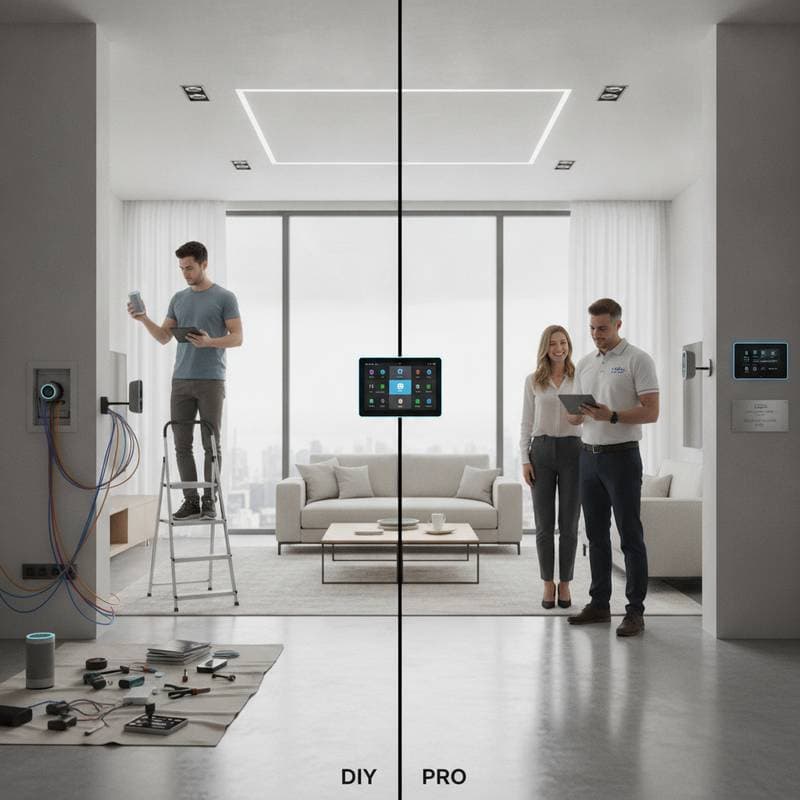
Smart Home Setup: DIY Wins or Hire a Certified Pro?
The first time living room lights fade on as you walk through the door, the experience feels magical. The thermostat adjusts itself, blinds lower to block glare, and a favorite playlist hums through speakers. That sense of control explains why smart home setups attract so many homeowners. Yet excitement often shifts to confusion once a hub and sensors leave their boxes. The central decision involves whether to pursue DIY installation or engage a certified professional.
Starting the Journey
Most projects begin with a single device such as a video doorbell or voice assistant. Value appears quickly, which encourages expansion to smart locks, connected plugs, light switches, and thermostats. Convenience grows, yet so do technical demands. Brands communicate through different protocols, and devices do not always integrate smoothly.
DIY builders enjoy the experimentation. They discover ecosystem quirks, create automation sequences, and celebrate successful synchronization. As the system enlarges, however, firmware updates can disrupt routines and troubleshooting consumes extra hours. Professionals approach the task differently. They map lifestyle patterns, home layout, and future expansion before any hardware arrives. The result tends to be more structured and reliable.
Evaluating Costs and Returns
A basic DIY starter kit ranges from 300 to 700 dollars. Adding bulbs, plugs, and sensors keeps most projects under 1000 dollars. The primary outlay is time. Professional installation, by contrast, spans 2500 to 10000 dollars for consultation, wiring, programming, and support. Larger homes or systems that tie security, lighting, HVAC, and entertainment together push costs higher.
Return on investment appears through energy savings of 10 to 20 percent when thermostats and lights respond to occupancy. A documented, integrated system also supports resale value. DIY saves money at the outset but may require later repairs or replacements that reduce the initial advantage.
Assessing Skills and Safety
Basic smart plugs present low risk. Replacing wired switches or installing smart thermostats, however, involves live electrical connections. Homeowners who proceed must switch off power at the breaker, test wires with a voltage meter, and follow instructions exactly.
Certified installers hold safety credentials and understand local codes. They verify that automation does not conflict with existing wiring or security systems. They also configure network encryption to reduce hacking exposure. When confidence with wiring or router settings is limited, professional involvement provides measurable peace of mind.
Managing Integration
Device communication remains the leading DIY obstacle. Some products use Wi-Fi while others rely on Zigbee or Z-Wave. Firmware versions and router settings further complicate pairing. Professionals select compatible ecosystems in advance and plan for future additions without full resets. A homeowner who already uses one platform can later add cameras from another platform when a professional designs the necessary bridge.
Weighing Time and Learning
Simple automations such as scheduled lights require several hours at the start. Multi-room audio or voice-controlled blinds add further layers. A professional may finish a complete system in one or two days. DIY spreads across multiple weekends yet delivers deeper understanding of every connection. Homeowners short on time or patience for troubleshooting often prefer outsourcing.
Planning for Longevity
Modular DIY systems allow brand swaps and incremental upgrades that keep older homes current. Professional installations favor hardwired connections and enterprise components that operate continuously with minimal intervention. Service agreements cover repairs and updates. Both paths remain sustainable when devices support open standards and limit standby power.
Situations That Require Professional Help
Integrated security cameras, automated gates, or whole-home lighting tied to breaker panels call for certified expertise. Older wiring or complex HVAC systems also benefit from an initial audit of network strength and electrical capacity. Professionals can stage installation so foundational controls are operating before advanced features are added.
Conditions That Favor DIY
Renters and frequent movers gain flexibility from portable devices such as plugs, bulbs, and voice assistants. These items need little wiring and move easily. Budget-conscious owners who enjoy testing automation sequences can begin with one hub and add sensors gradually, building confidence with each working routine.
Practical Setup Steps
- Select one primary platform and purchase only compatible devices.
- Assign clear names to every device for reliable voice commands.
- Apply strong passwords and enable two-factor authentication on the network.
- Perfect one automation before introducing the next.
- Record device models, firmware versions, and routines for quick recovery.
Matching the Approach to Your Needs
Homeowners who value hands-on learning and gradual expansion often achieve satisfying results through DIY. Those who prioritize speed, code compliance, and minimal maintenance typically find professional installation the stronger long-term choice. The decision rests on available time, technical comfort, and the scale of the planned system.