
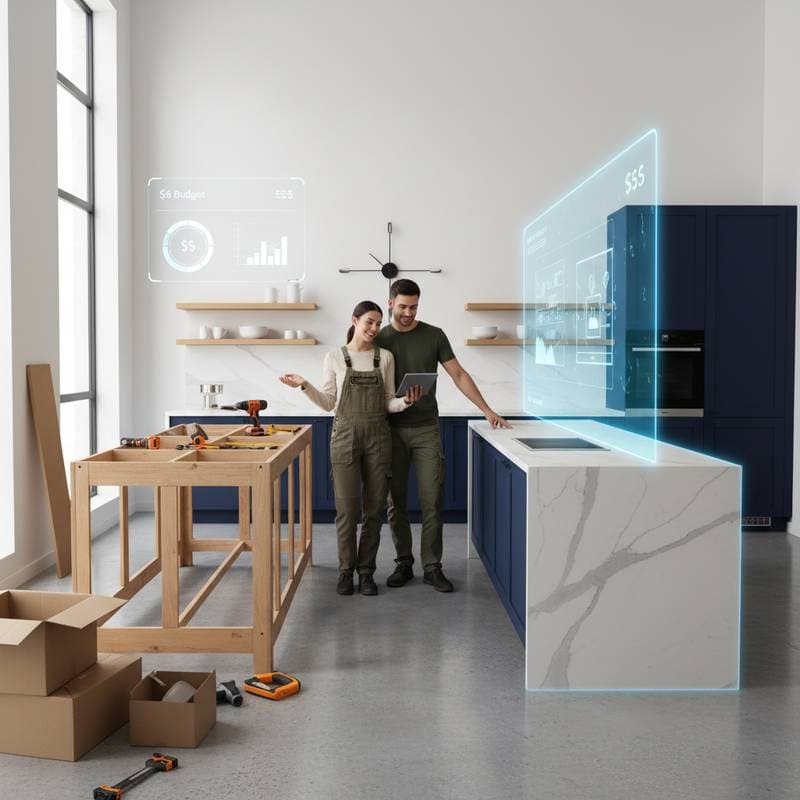
Empowering Homeowners to Achieve Professional Kitchen Results
Homeowners often dream of kitchen upgrades but face barriers like high contractor fees and design complexities. Artificial intelligence changes this dynamic by providing tools that enable precise planning and visualization of remodels comparable to those from skilled professionals. These technologies democratize design expertise, allowing individuals to execute projects with confidence and efficiency.
AI does not eliminate the need for hands-on effort; it enhances decision-making through data analysis and simulations. Users gain insights into optimal layouts, accurate cost projections, and error prevention, resulting in kitchens that blend functionality, style, and affordability. This article outlines a step-by-step approach to integrating AI into DIY kitchen projects, including tool recommendations and best practices for seamless execution.
How AI Kitchen Design Tools Function
AI kitchen design software relies on machine learning algorithms trained on vast datasets of layouts, materials, and user behaviors. Upon entering details such as room measurements, preferred aesthetics, and financial limits, the system generates tailored proposals that balance form and utility.
The process unfolds in these key stages:
- Space Capture: Input your kitchen's dimensions manually or use a mobile app to scan the area, creating an accurate digital model in moments.
- Layout Creation: Receive multiple configuration suggestions, then customize elements like countertop materials, appliance positions, or color palettes to align with your vision.
- Budget Estimation: Obtain detailed breakdowns of expenses for items like cabinets, flooring, and hardware, enabling adjustments to maintain fiscal control.
- Procurement Links: Access integrated marketplaces to source products directly, ensuring compatibility with your selected design.
- Rendering and Testing: Simulate the completed space in various scenarios, such as daylight variations or furniture arrangements, to preview real-world performance.
Such systems augment personal creativity by providing evidence-based options, reducing guesswork and fostering innovative outcomes.
Recommended AI Tools for Kitchen Planning
Several platforms stand out for their accessibility and depth in supporting DIY efforts.
Planner 5D and RoomGPT
These applications convert descriptive inputs or existing photos into photorealistic visualizations. Experiment with transformations, such as converting a dated galley kitchen into an open-concept layout, to assess visual and practical impacts.
SketchUp with AI Plugins
Favored by experts, this tool's enhancements automate tasks like ergonomic counter heights and traffic flow analysis. Homeowners can import measurements to build detailed models, iterating on designs for optimal storage and workflow.
IKEA Kreativ and Lowe's Style Studio
Retailer-specific apps allow virtual placement of inventory items within your scanned space. Generate customized shopping lists after selecting coordinated sets, streamlining the transition from plan to purchase.
Midjourney and D-ID for Conceptualization
Leverage these generative tools to produce inspirational visuals from prompts like "Scandinavian kitchen featuring oak cabinets and subway tile." Use the outputs to refine broader design themes before detailed modeling.
Conversational AI Assistants
Integrated chat features respond to queries such as "Suggest efficient layouts for a compact 10x12 kitchen including a peninsula." Responses include diagrams, material suggestions, and efficiency metrics to inform choices.
Guidelines for Safety and Expert Involvement
AI tools excel in planning but cannot substitute for specialized skills in hazardous areas. Identify tasks requiring professional intervention to ensure compliance and safety.
Tasks Requiring Licensed Professionals:
- Installation of new electrical circuits or rewiring.
- Relocation of plumbing pipes or fixtures.
- Connection of gas lines to appliances.
- Alterations to load-bearing walls or structural elements.
Suitable DIY Activities:
- Application of paint or installation of tile backsplashes.
- Assembly of cabinets and attachment of hardware.
- Swapping out light fixtures on existing wiring.
- Sealing and polishing countertops.
Always verify against local regulations; consider a professional review for complex designs. Hybrid approaches, where experts manage infrastructure while you handle aesthetics, offer a balanced path forward.
Maximizing Daily Use in Your AI-Planned Kitchen
Completed projects yield spaces optimized for everyday routines, with layouts that minimize steps between prep areas and storage. Enhanced ergonomics and intuitive organization elevate cooking and gathering experiences.
For sustained performance:
- Archive digital plans for reference during expansions or repairs.
- Periodically consult the platform for ideas on seasonal updates, like adding herb planters or modular shelving.
- Utilize app-based scheduling for routine upkeep, such as filter changes or surface cleaning.
Designs that adapt to evolving needs ensure lasting satisfaction, with AI facilitating virtual trials of modifications.
Evolving Your Kitchen Through Ongoing AI Integration
An AI-supported remodel serves as a foundation for future enhancements, leveraging persistent digital twins for simulations. As technology advances, updates introduce refined algorithms for even more precise predictions.
Apply the model to:
- Incorporate features like a coffee station or vertical gardening.
- Preview upgrades to energy-efficient appliances.
- Assess potential boosts to home value via renovation analytics.
This iterative method keeps your kitchen aligned with changing preferences, maximizing return on initial investments.