
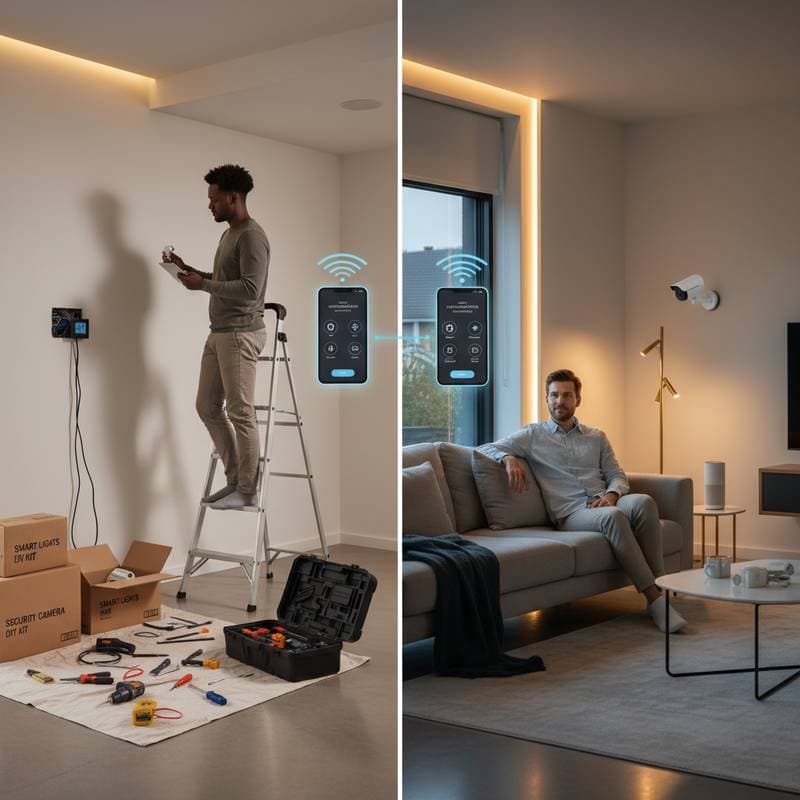
DIY Smart Home: Savings Potential or Installation Challenges?
Smart home technology transforms everyday living by automating tasks such as adjusting lighting for ambiance or securing entry points remotely. Homeowners often face the choice between installing these systems themselves or engaging professionals. While a do-it-yourself approach offers cost reductions and a sense of accomplishment, it also introduces possibilities for technical difficulties, device incompatibilities, and safety concerns. This article examines key factors to inform your decision based on technical expertise, financial considerations, and home requirements.
Comparing Costs: Do-It-Yourself Versus Professional Services
The primary appeal of do-it-yourself smart home projects lies in potential financial savings. These benefits depend on the project's scope and the individual's familiarity with electrical systems.
| Project Type | Do-It-Yourself Cost Range | Professional Cost Range | Estimated Time Investment |
|---|---|---|---|
| Smart Thermostat | $150 to $300 | $350 to $600 | 1 to 2 hours |
| Smart Lighting for One Room | $200 to $400 | $500 to $900 | 2 to 4 hours |
| Basic Security System (5 Devices) | $400 to $700 | $800 to $1,500 | 4 to 6 hours |
| Comprehensive Home Automation | $1,000 to $2,000 | $2,500 to $6,000 | 1 to 2 days |
Individuals with essential tools and prior wiring knowledge may reduce expenses by up to 50 percent. However, unforeseen troubleshooting or errors can extend timelines and diminish initial savings through additional purchases or professional interventions.
Building a Do-It-Yourself Smart Home: Structured Approach
A systematic method minimizes complications during self-installation of smart home components.
Step 1: Establish Clear Objectives
Determine specific functions for the system. For instance, automate lighting and climate controls to lower utility bills, integrate cameras and locks for enhanced protection, or enable voice commands for streamlined daily routines. Clear priorities guide selection of high-value devices that align with lifestyle needs.
Step 2: Select a Compatible Ecosystem
Popular platforms include Google Home, Amazon Alexa, and Apple HomeKit, each with distinct device protocols. Commit to a single ecosystem to ensure seamless integration and avoid future connectivity conflicts. Research device lists for each platform to confirm broad support.
Step 3: Optimize Network Infrastructure
Strong Wi-Fi coverage forms the foundation of reliable smart home operations. Signal weaknesses lead to intermittent device performance. In larger homes or those with structural barriers, deploy a mesh network to distribute coverage evenly across all areas.
Step 4: Implement Incrementally
Introduce devices gradually, starting with essentials like a thermostat or bulb set. Verify interactions within the app before adding more components. This phased method builds confidence and identifies issues early, preventing widespread disruptions.
Step 5: Implement Robust Security Measures
Replace factory-set passwords immediately, activate multi-factor authentication, and segregate smart devices onto a separate network segment. Regular firmware updates further safeguard against vulnerabilities. These practices protect personal information and maintain system integrity.
Resolving Frequent Do-It-Yourself Challenges
Technical obstacles arise even in well-planned setups. The following addresses prevalent problems with targeted solutions.
Issue: Intermittent Wi-Fi Connections
Reposition the router centrally or add signal boosters. Configure the network to support both 2.4GHz for range and 5GHz for speed, matching device capabilities.
Issue: Unreliable Voice Activation
Verify unique identifiers for each device in the control application. Eliminate overlaps, such as assigning distinct labels to similar items in the same space.
Issue: Inconsistent Bulb Performance
Ensure connected switches support smart, dimmable features without cutting power. Replace incompatible wall switches with smart variants if necessary.
Issue: Inaccurate App Displays
Restart the central hub or individual units. Update all firmware versions promptly, as outdated software often underlies synchronization failures.
Essential Strategies for Effective Implementation
-
Organize Components Clearly: Assign labels to hubs, sensors, and adapters during initial setup. This practice simplifies future diagnostics and maintenance.
-
Maintain Detailed Records: Record device specifications, access credentials, and configuration details in a dedicated log, either physical or digital.
-
Validate Functionality First: Operate devices in temporary positions before securing them in place. This step confirms reliability prior to commitment.
-
Plan for Future Adaptability: Opt for devices supporting multiple protocols, such as Zigbee or Z-Wave, to facilitate expansions without overhauling the entire network.
-
Budget for Ongoing Maintenance: Allocate funds for software subscriptions or battery replacements, as these ensure long-term performance.
Achieving a Seamless Smart Home Experience
A well-executed smart home enhances efficiency, security, and convenience without unnecessary complications. Weigh personal skills against project demands to select the optimal path, whether through self-installation or expert assistance. With thoughtful planning, your connected living space delivers lasting value and peace of mind.