
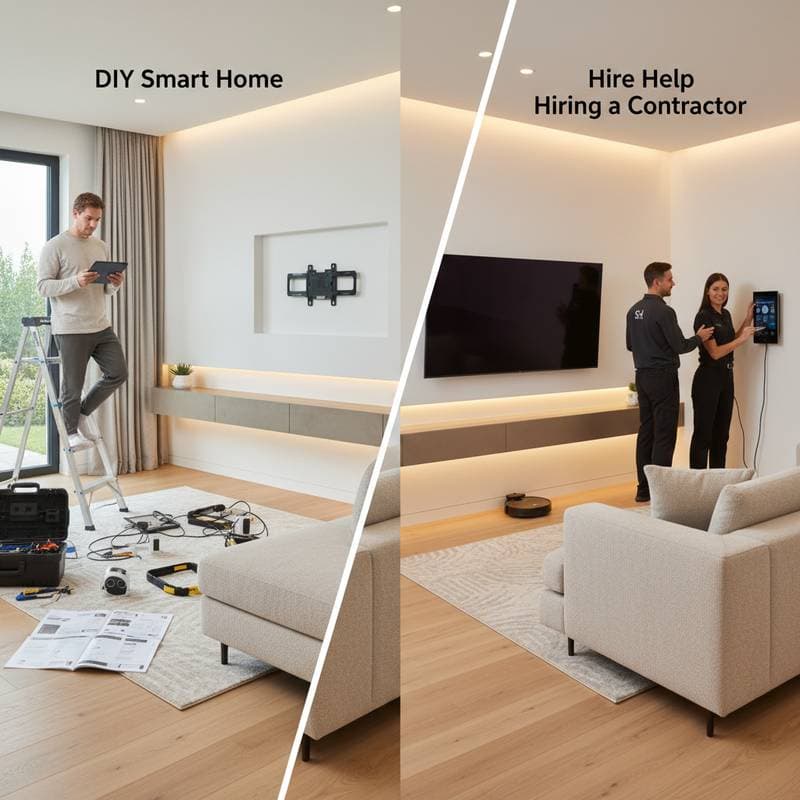
DIY Smart Home: Worth the Hassle or Hire Help?
Many homeowners envision a residence where lights adjust automatically, thermostats respond to occupancy, and security systems alert instantly via smartphone. Smart home technology has evolved from an optional feature into a practical necessity for modern living. The key decision revolves around installation: undertake the task personally or engage a professional? This choice hinges on individual technical proficiency, financial constraints, and aspirations for the home's functionality.
This article examines the actual expenses, intricacies, and benefits of each approach. Homeowners gain insights to construct an intelligent living space that minimizes frustration and optimizes investment.
The DIY Smart Home Path
Individuals who relish practical endeavors and seek autonomy in their configurations often select do-it-yourself installation. Devices such as smart plugs, thermostats, video doorbells, and LED bulbs typically include straightforward mobile application guides. Installation durations range from thirty minutes for simple plug-in units to two hours for more involved setups like thermostat replacements.
Typical Costs
- Smart thermostat: $100 to $250
- Smart lighting starter kit: $60 to $150
- Video doorbell: $100 to $200
- Smart plugs and switches: $25 to $60 each
With existing tools and reliable Wi-Fi coverage, equipping a modest residence might cost $400 to $800. The primary advantage lies in avoiding labor charges, which professionals often impose at $200 to $500 per project.
Pros of DIY Installation
- Budget flexibility allows gradual acquisition of devices
- Hands-on experience facilitates independent troubleshooting later
- Custom control enables selection of preferred brands and ecosystems
- Immediate implementation occurs on the homeowner's timeline
Common Challenges
Despite assurances of simplicity, several obstacles arise frequently. Weak Wi-Fi signals hinder performance of exterior devices like cameras. Incompatibilities among different manufacturers disrupt seamless operation. Automation sequences may fail to activate reliably, leading to inconsistent results. Concerns about electrical safety emerge during modifications to wired components, such as switches or thermostats.
Homeowners should manage plug-in or battery-operated items independently. However, projects involving wiring or high-voltage elements warrant professional intervention to mitigate risks.
Comparing DIY vs Professional Smart Home Installation
| Criteria | DIY Installation | Professional Installation |
|---|---|---|
| Cost Range | $400 to $800 | $800 to $2,500+ |
| Time Investment | 1 to 2 hours per device | 1 to 2 days total |
| Skill Level Required | Basic to moderate | None for homeowner |
| Customization | Flexible but limited by compatibility | High integration and scalability |
| Ongoing Maintenance | Self-managed updates | Contractor support available |
| Safety | Safe for plug-in tasks | Essential for wired systems |
For modest enhancements, such as adding smart bulbs or indoor cameras, the DIY method proves efficient and cost-effective. Whole-home systems or integrations with existing electrical infrastructure benefit from expert oversight, ensuring durability and reducing potential errors.
Safety and Compatibility Considerations
Prior to any work, verify that the home's electrical infrastructure accommodates the new technology. Many smart switches demand a neutral wire, which older buildings might not possess. Shut off electricity at the main breaker prior to handling wires, and consult a licensed electrician if doubts persist.
Device interoperability poses a significant hurdle. Combining products from various companies risks failures in automated functions. Select a unified ecosystem, such as Google Home, Apple HomeKit, or Amazon Alexa, and pair it exclusively with verified compatible hardware. This strategy promotes reliable performance and simplifies future diagnostics.
To enhance safety further, install ground fault circuit interrupters in relevant outlets and adhere to manufacturer guidelines for mounting devices. Regular inspections of cabling prevent wear that could lead to hazards over time.
Long-Term Maintenance and Software Updates
The effectiveness of smart devices depends on regular software enhancements for security and performance. Those pursuing DIY must actively track application alerts and firmware releases. Professional services frequently offer packages that encompass remote diagnostics and periodic evaluations.
Follow this maintenance routine quarterly:
- Update firmware across all connected devices
- Verify that automation sequences execute correctly
- Inspect battery status in sensors, locks, and cameras
- Audit application permissions to safeguard privacy
Neglecting these steps exposes the system to vulnerabilities, such as outdated protocols that hackers exploit. Proactive care extends device lifespan and maintains optimal efficiency.
Pro Tips for Success
Begin with a single area, like the kitchen for lighting or the entryway for security, to build confidence. Assign descriptive labels to each device within the controlling application for intuitive voice commands. Incorporate surge protectors alongside smart plugs to guard against power fluctuations. Document device identifiers, access credentials, and rule configurations in a secure notebook. Simulate various automation triggers prior to daily dependence, adjusting as needed for precision.
Consider investing in a mesh Wi-Fi extender if coverage issues arise, ensuring uniform connectivity throughout the property. Explore user forums within the chosen ecosystem for community-sourced solutions to common pitfalls.
Integrating Smart Features for Everyday Efficiency
Once installed, smart home elements transform routine tasks into effortless experiences. Automate lighting to mimic natural daylight cycles, promoting energy savings and comfort. Link thermostats to weather data for proactive adjustments, reducing utility bills without manual intervention. Security integrations provide peace of mind through real-time notifications and remote access.
Homeowners who align their setup with lifestyle needs achieve a harmonious blend of technology and convenience. Whether through personal effort or expert assistance, a well-executed smart home elevates daily living while future-proofing the residence against emerging innovations.