
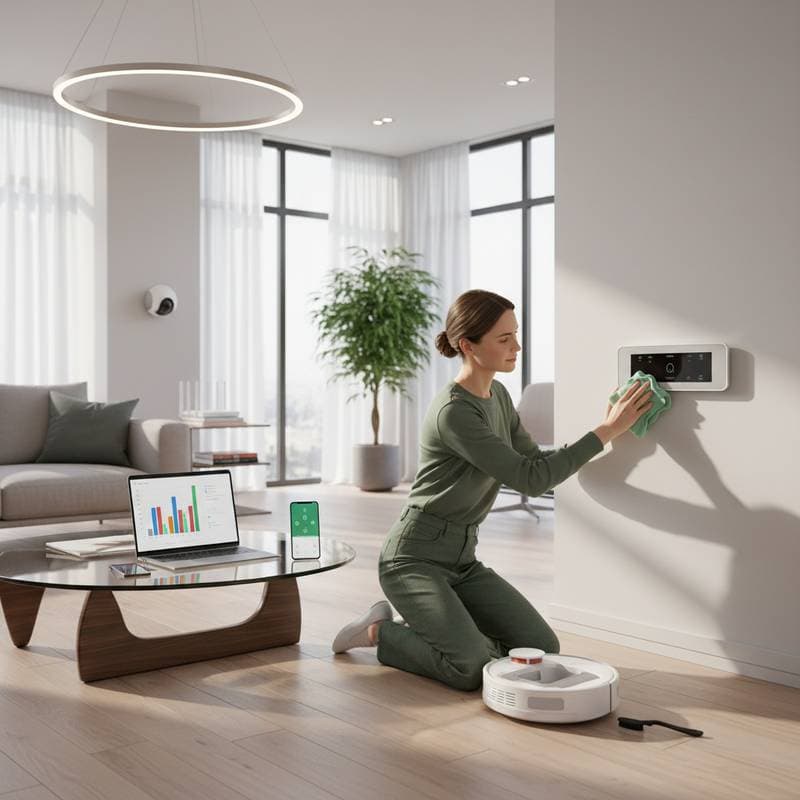
Prepare Your Smart Home for Spring Efficiency
Spring brings warmer weather and increased activity, which places new demands on smart home systems. Devices such as thermostats, lights, and security cameras operate continuously, yet winter accumulation of dust, outdated software, and network shifts can impair their function. Regular maintenance restores peak performance, conserves energy, and strengthens security as seasonal changes occur.
This guide provides a structured approach to smart home care. It includes detailed steps for key devices, along with practical advice and solutions to common issues. Follow these recommendations to maintain a responsive and reliable setup.
Step 1: Inspect and Clean Smart Thermostats
Thermostats regulate heating and cooling, but dust on sensors and outdated settings can lead to inaccurate temperature control. Spring offers an opportunity to verify functionality and prepare for varying outdoor conditions.
Maintenance actions:
- Power down the thermostat and use a soft, dry cloth to remove dust from vents, screens, and sensors.
- Check and replace the air filter if the model integrates one; clean reusable filters with mild soap and water.
- Access the device app to review and update firmware, which often includes energy-saving algorithms tailored to seasonal patterns.
- Adjust temperature schedules to reflect longer days and milder weather, such as raising daytime settings by two degrees.
Troubleshooting advice: If the thermostat displays errors or fails to connect, perform a factory reset via the app and reconnect to your Wi-Fi network. Test responsiveness by simulating a temperature change.
These steps ensure precise climate control and reduce energy consumption during transitional months.
Step 2: Clean and Reconnect Smart Lighting Systems
Smart lights enhance convenience, but exposure to elements and power inconsistencies can diminish their reliability. A thorough cleaning restores brightness and connectivity.
Action plan:
- Disconnect power sources before handling bulbs or switches to avoid electrical hazards.
- Wipe bulbs, sensors, and covers with a dry microfiber cloth to eliminate dust and fingerprints.
- Launch the lighting control app to scan for firmware updates, which enhance color accuracy and integration with other devices.
- Organize lights into labeled groups within the app, like "Living Room Ambiance" or "Outdoor Entry," for intuitive management.
Troubleshooting tip: For unresponsive bulbs, cycle the power five to ten times as specified by the manufacturer, then pair the device anew through the app setup process.
Updated systems respond faster and adapt better to daily routines, minimizing delays in illumination.
Step 3: Update and Test Smart Security Devices
Security cameras and locks protect your home, yet neglected updates expose vulnerabilities to new threats. Spring maintenance fortifies these systems against seasonal risks like open windows or increased foot traffic.
Security protocol:
- Review camera lenses and motion sensors; clean with a lens cloth to clear pollen or debris.
- In the security app, enable automatic updates and manually check for patches that address privacy enhancements.
- Test door locks and alarms by simulating entry scenarios, ensuring alerts transmit promptly to your phone.
- Adjust detection zones to account for spring landscaping changes, such as new plant growth near pathways.
Troubleshooting guidance: If a camera feed lags, reposition it closer to your router or use a Wi-Fi extender; restart the device to resolve temporary glitches.
Robust security maintains peace of mind and prevents unauthorized access during active seasons.
Step 4: Calibrate Smart Speakers and Voice Assistants
Voice devices process commands amid varying environmental noise, and spring factors like humidity or open spaces can affect accuracy. Calibration sharpens their performance.
System reset method:
- Disconnect the speaker from power for 30 seconds to reset internal memory.
- Clean microphones and grilles gently with a soft brush or compressed air to dislodge particles.
- Navigate to the app settings and initiate voice training, speaking sample phrases to refine recognition amid ambient sounds.
Efficiency enhancement: Audit connected services and delete unused integrations to lighten processing load and speed up responses.
Calibrated assistants handle queries more reliably, integrating smoothly with other home functions.
Step 5: Optimize Your Home Network for Privacy and Speed
A stable network underpins all smart devices, but winter congestion or forgotten settings can slow operations. Spring optimization clears pathways for efficient data flow.
Network refinement steps:
- Log into your router settings to update firmware and change the default admin password.
- Scan for connected devices via the router app; disconnect or secure unfamiliar ones to bolster privacy.
- Reposition the router centrally and minimize interference from microwaves or thick walls.
- Enable guest networks for visitors, isolating them from primary smart home controls.
Troubleshooting solution: For persistent slowdowns, restart the router and modem sequentially; consider upgrading to mesh Wi-Fi if coverage remains uneven.
A tuned network ensures devices communicate without interruption, supporting seamless automation.
Step 6: Sync Smart Home Automations with Seasonal Changes
Automations streamline routines, but they require adjustments as habits evolve with spring. Alignment prevents inefficiencies and enhances comfort.
Adjustment strategies:
- Modify lighting timers to sync with sunrise and sunset, automating gradual dimming for energy savings.
- For smart irrigation, recalibrate schedules based on rainfall data and verify sensor readings against soil moisture.
- Develop seasonal routines, such as activating fans with thermostats or securing doors at dusk.
These tweaks adapt your home to natural rhythms, promoting sustainability and ease.
Advanced Strategies for Ongoing Smart Home Care
Maintain momentum with a dedicated log for all updates and repairs; this record aids in diagnosing issues and supports manufacturer support.
Set recurring notifications in your voice assistant for quarterly reviews, integrating them into household calendars.
Pair device maintenance with broader cleaning sessions to build sustainable habits without added effort.
Achieve a Seamless Smart Home Experience
Consistent spring maintenance transforms your connected devices into reliable allies. By addressing each component systematically, you foster efficiency, security, and comfort that endure beyond the season. Your home becomes a model of intelligent living, ready for whatever comes next.