
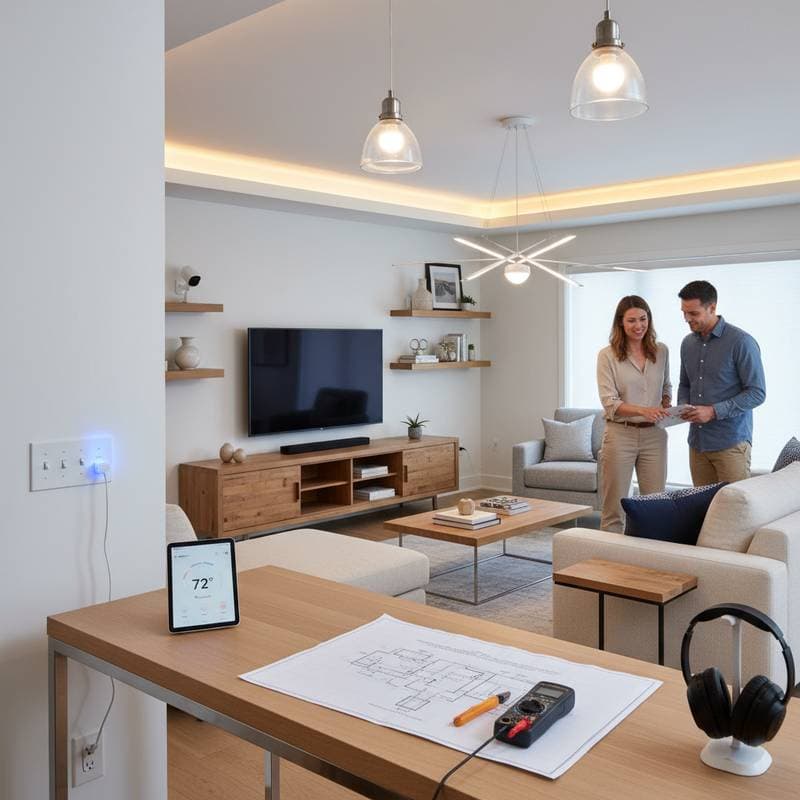
Achieve DIY Smart Home Retrofits and Realize Significant Savings
Many homeowners desire a residence that adapts to daily patterns, modulates illumination on demand, or reduces utility expenses without undertaking major structural changes. Retrofitting with smart systems provides a practical solution. Through organized preparation, limited installation periods, and appropriate equipment, individuals can establish an interconnected living area that performs like a modern build, all while preserving existing infrastructure and financial limits. This resource divides the procedure into digestible phases, spanning initial strategy to economical implementation, enabling a shift toward an intelligent, resource-conserving habitat.
Plan Your Smart Home Retrofit Effectively
Effective retrofitting commences with a defined overview of the system. Traverse each room in the residence and record locations where automation would yield the greatest advantages. Emphasize enhancements that promote both ease of use and operational efficiency. Concentrate on three primary domains:
- Climate Regulation: Include intelligent thermostats, ventilation directors, and overhead fan controllers.
- Illumination Management: Incorporate intelligent bulbs, adjustable switches, and movement detectors.
- Protection Measures: Integrate intelligent door mechanisms, entryway cameras, and frame alerts.
After pinpointing critical zones, select an approach: a unified platform like Google Home or Apple HomeKit, or diverse elements that interoperate via protocols such as Matter or Zigbee. Adhering to a single platform streamlines configuration and issue resolution over time.
Next, establish a budget allocation. Allocate funds across categories, aiming for devices under $50 per unit where possible. Research compatibility charts from manufacturers to avoid redundant purchases. Document your selections in a simple spreadsheet, noting estimated costs and potential energy savings, such as a smart thermostat reducing heating bills by 10 to 15 percent annually.
Gather Essential Tools and Materials
Most retrofitting tasks demand basic implements rather than advanced machinery. Prepare the following items for typical projects:
- Assorted screwdrivers and pliers
- Voltage detection device
- Insulation remover for wires
- Sturdy step stool for overhead work
- Mobile device for configuration
- Stable wireless internet connection
For any electrical modifications, deactivate the circuit at the main panel and confirm absence of current using the voltage tester prior to handling components. If uncertainty arises regarding electrical aspects, engage a certified professional for inspection to ensure compliance with safety standards.
In addition to tools, stock up on universal adapters and extension cords if outlets prove insufficient. Opt for batteries or power sources compatible with your chosen devices to prevent interruptions during setup.
Install Smart Climate Controls
Begin with climate systems for immediate impact on comfort and savings. Start by replacing the existing thermostat with a smart model like the Nest Learning Thermostat, which learns user preferences over time.
Position the new unit at eye level in a central hallway, away from direct sunlight or drafts. Remove the old faceplate carefully, disconnect wires one by one, and attach them to the corresponding terminals on the smart device, following the manufacturer's color-coded diagram. Secure the base, snap on the display, and connect via the companion application to your Wi-Fi network. Program initial schedules, such as lowering temperature by two degrees when the home remains unoccupied.
For vent controllers, attach motorized covers to registers using adhesive mounts—no drilling required. Link them to the app for automated airflow distribution, ensuring even heating throughout the space.
Ceiling fan switches install similarly: swap the wall control with a smart variant. Test functionality by adjusting speeds remotely, which can circulate air efficiently and reduce reliance on air conditioning.
Set Up Smart Lighting Solutions
Lighting retrofits offer quick wins in ambiance and efficiency. Replace incandescent bulbs with LED smart equivalents from brands like Philips Hue, which connect wirelessly without altering fixtures.
Screw in the bulbs as usual, then pair them through the app by scanning a QR code or entering a setup code. Group lights by room for voice commands, such as dimming bedroom lamps at sunset. For broader control, install smart dimmer switches over existing ones: turn off power, remove the faceplate, connect wires to the new switch (neutral wire often required—verify your home's wiring), and mount it back.
Add motion sensors near entry points or closets. Mount them with double-sided tape, adjust sensitivity to detect movement within 10 feet, and set timers to activate lights for 5 minutes upon entry. This setup eliminates forgotten lights and enhances security.
Implement Smart Security Features
Security upgrades provide peace of mind with minimal effort. Install smart locks on exterior doors using retrofit kits that fit over deadbolts, avoiding full replacement.
Remove the thumb-turn, attach the internal module, and secure the external keypad or Bluetooth bridge. Program access codes for family members and integrate with geofencing to lock automatically when you leave the property. Battery life typically lasts six months; set app reminders for changes.
For doorbell cameras, mount the device above the entry using screws into the siding. Wire it to existing low-voltage lines if available, or opt for battery-powered models. Connect to Wi-Fi and enable motion alerts, which notify your phone of visitors or unusual activity.
Window sensors adhere with adhesive strips. Place the magnet on the frame and the sensor on the sash; the app alerts if separation occurs, indicating potential forced entry. Test all components weekly to confirm reliability.
Address Common Troubleshooting Scenarios
Systems may encounter obstacles despite careful execution. Consider these resolutions:
-
Connection Failures: Restart the network router and position the device nearer to it during initial pairing. Verify application authorizations on the mobile device.
-
Response Delays: Limit concurrent device connections or upgrade to a mesh network system for improved signal strength.
-
Automation Glitches: Examine trigger conditions in the settings. Adjustments to illumination thresholds or detection ranges frequently resolve inconsistencies.
-
Interruptions from Power Fluctuations: Assign descriptive labels to devices within the application, facilitating rapid reconfiguration after outages.
Persistent disconnections across units suggest the need for a central hub, which acts as a communication anchor and extends range.
Preserve and Optimize Your Smart Setup
Regular upkeep ensures longevity and performance. Schedule monthly checks: clean sensors from dust, update firmware through apps to access security patches, and review usage data for efficiency gains.
Monitor energy reports ; adjust automations based on patterns, such as optimizing thermostat setbacks during vacations. Backup configurations in the cloud to recover settings quickly after resets.
Consider scalability: as technology evolves, integrate new devices seamlessly. Annual budgets of $100 allow gradual additions, maintaining the system's relevance without overwhelming expenses.
Expert Recommendations for Optimal Results
-
Assign Descriptive Identifiers: Name devices precisely, such as "Kitchen Overhead Lights" or "Garage Entry Sensor," to facilitate intuitive voice interactions.
-
Prioritize Automated Sequences: Predefined scenes, like "Movie Night" dimming all living area lights, outperform individual toggles for energy conservation.
-
Validate Compatibility Early: Purchase and test a single item, such as a smart plug, before expanding to confirm integration with your network.
-
Design for Growth: Select platforms supporting modular additions, ensuring current investments accommodate future enhancements without obsolescence.
Realize the Benefits of Your Connected Home
With these retrofits in place, experience a residence that anticipates needs, conserves resources, and safeguards inhabitants. Daily routines become streamlined, utility statements decrease, and overall satisfaction rises. This investment not only elevates current living standards but also positions the home for ongoing technological integration, delivering enduring value through practicality and foresight.