
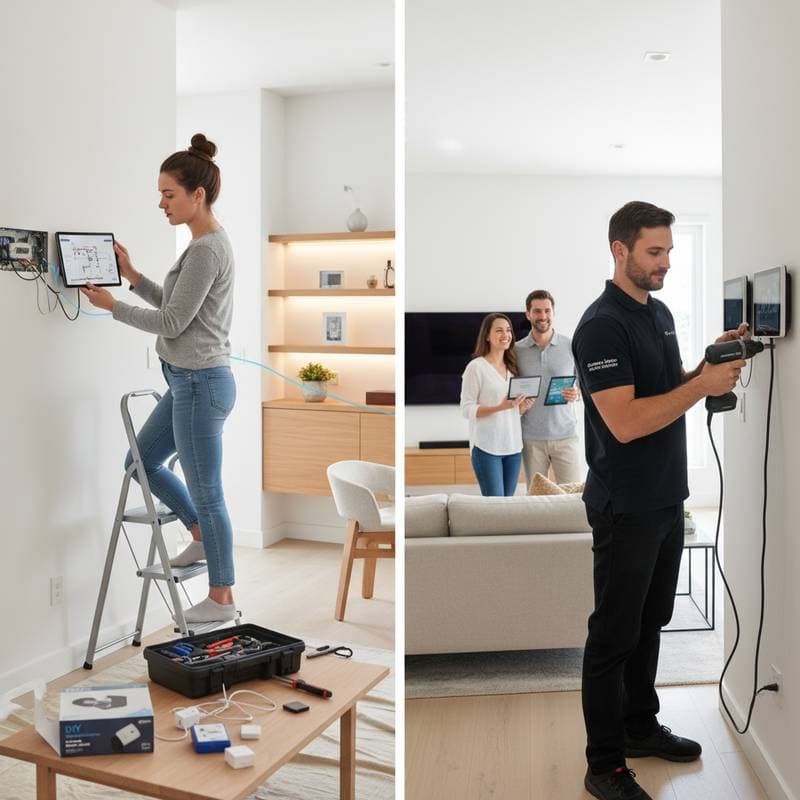
DIY Smart Home Setup: Savings vs. Professional Expertise
Installing a smart thermostat or voice-activated lighting system transforms everyday living into something efficient and intuitive. Lights dim on voice command, temperatures adjust automatically, and the home responds to routines. However, homeowners often pause during research to consider a key decision: handle the installation personally or engage a professional?
The choice hinges on evaluating costs, technical demands, and desired reliability. A do-it-yourself approach offers substantial savings, yet it introduces risks that affect security, performance, and property value. This guide examines these elements to clarify when self-installation delivers value and when expert involvement safeguards the setup.
Understanding Today's Smart Home Environment
Smart home technology once featured exclusively in upscale residences. Now, affordable options like connected bulbs cost less than a meal and integrate quickly. Most households incorporate at least three devices, such as thermostats or doorbells with cameras.
This widespread availability encourages self-setup for many items. Simple options, including smart plugs and wireless cameras, require minimal effort. In contrast, wired components like switches, locks, or security panels demand electrical expertise and adherence to codes.
Improper handling of these advanced elements leads to more than frustration. Such errors may invalidate warranties or pose fire risks through faulty connections.
True Expenses of Self-Installation
Homeowners pursue do-it-yourself projects primarily to cut expenses. Hiring experts for device setup typically costs between $100 and $500 per unit, varying by intricacy and location. A comprehensive system covering lighting, climate control, and security might total $2,000 to $5,000, excluding hardware prices.
Self-installation removes labor fees, but it demands tools, potential network enhancements, and dedicated time for fixes. A straightforward array of plugs and bulbs totals $150 to $300. Expanding to include a central hub, thermostat, and voice control reaches $800 to $1,200.
Savings appear clear initially. Problems arise from extended debugging, such as correcting misrouted cables, which consumes hours. Subsequent professional intervention could exceed original do-it-yourself economies.
Navigating the Skill Requirements and Safety Aspects
Beyond physical assembly, smart device integration requires grasp of digital interactions, cybersecurity measures, and error resolution. Instructions accompany products, but challenges like mismatched routers or outdated wiring complicate execution.
Consider thermostats needing a common wire for steady power; absence necessitates adapters or expert modifications. Door locks may fail on uneven frames, causing inconsistent locking. Voice systems falter amid weak Wi-Fi signals across spaces.
Electrical safety demands attention in wired installations. Regulations in many areas mandate licensed professionals for alterations. Homeowners should verify insurance terms, as self-work might compromise claims related to damages.
Scenarios Where Experts Prove Essential
Engaging professionals preserves autonomy while guaranteeing operational integrity. Specialists possess tools for precise work, brand-specific knowledge, and integration skills across platforms.
Services often encompass configuration, application linking, and user guidance. Ongoing assistance for software refreshes or issues adds value, especially in setups with surveillance, sensors, or motorized shades.
Labor rates range from $75 to $150 hourly, with overall fees scaling to project scope. For unified voice ecosystems spanning multiple rooms, this upfront cost ensures harmony and warranty compliance.
Benefits of the Do-It-Yourself Method: Autonomy, Adaptation, and Assurance
Numerous homeowners opt for self-setup due to the empowerment it provides. Personalizing configurations yields a sense of achievement and precise alignment with needs. Incremental additions allow paced evolution without external dependencies.
Modular designs in popular ecosystems support this strategy. Initiate with lighting or a central controller, then incorporate climate devices, access controls, or monitoring tools progressively.
Tech-savvy individuals benefit from streamlined processes. Apps offer sequential guidance, code scanning for pairing, and video tutorials. Community resources resolve common hurdles, minimizing the need for outside aid.
Overlooked Challenges and Future Implications
Technology in smart homes advances rapidly, introducing update cycles, protocol shifts, and compatibility demands. Self-managers handle diverse applications, ecosystem overlaps, and routine diagnostics.
Vulnerabilities extend to data protection; weak setups invite breaches. While encryption and multi-step verification aid defense, experts incorporate robust network safeguards. Homes with confidential information or reliance on alerts warrant this layer.
Property market dynamics factor in as well. Certified installations enhance appeal through records, guarantees, and dependable function. Prospective buyers view uncertified work skeptically, potentially diminishing perceived worth.
Evaluating Expenses and Benefits Across Years
Assessing do-it-yourself versus expert setups requires a multi-year perspective. Initial professional outlays exceed self-efforts by 30 to 50 percent, yet they curb ongoing repairs and prolong equipment durability.
Self-systems invite frequent tweaks, diagnostic sessions, and part swaps from installation flaws. Cumulative expenses narrow the gap when accounting for these elements.
A combined strategy optimizes outcomes. Manage uncomplicated items like plugs, lights, and audio units independently, while delegating wired or embedded tasks to specialists. This balances budget with security.
Selecting the Optimal Strategy for Your Residence
Determine the best route by evaluating technical familiarity and home infrastructure. Reflect on these questions:
- Does prior experience with electrical or digital networks exist?
- Is the current wiring contemporary and accessible?
- How critical are warranty adherence and market value?
- Are weekends available for potential fixes?
- Does the plan involve gradual system growth?
Enthusiasts who value hands-on learning thrive with self-installation. Those prioritizing effortless operation benefit from professional execution.
Essential Strategies for Effective Self-Setup
Preparation defines success in do-it-yourself endeavors. Follow these steps for optimal results:
- Begin modestly with basic elements like bulbs or receptacles to gain proficiency before advancing.
- Optimize connectivity by verifying full-home coverage; mesh networks address signal gaps.
- Organize components by documenting connections to hubs or software for swift issue resolution.
- Review terms carefully; certain products stipulate expert involvement for warranty validity.
- Fortify defenses with robust credentials, verification protocols, and timely software patches.
- Record installations through images of circuits and notations of parameters for future reference.
Sustaining Your Smart Home System
Post-installation, regular upkeep ensures longevity. Perform firmware renewals routinely, monitor alerts, and verify functions each month. Refresh network access codes and scan for anomalies.
Reliable performance depends on orderly management and stable infrastructure. Proactive involvement, regardless of installation method, fosters enduring utility and averts disruptions.
Maximizing Daily Benefits from Your Setup
A well-maintained smart home streamlines routines and enhances security. Users experience reduced energy use, intuitive controls, and peace of mind. Regular engagement with the system unlocks its full potential for comfort and efficiency.