
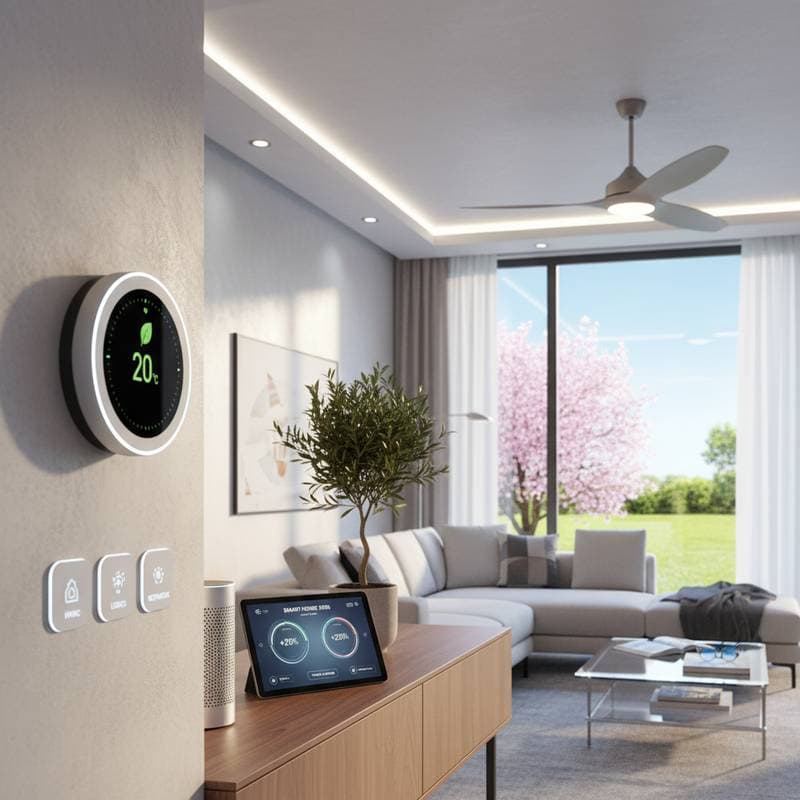
Spring Tune-Ups for Peak Smart Home Efficiency
Smart homes require regular maintenance to operate at their best, much like traditional homes need seasonal care. Devices function reliably only when supporting systems remain optimized, and spring provides an ideal opportunity to address winter wear. This guide presents a comprehensive checklist for tuning up your smart home, covering calibration, cleaning, updates, and testing to enhance efficiency, security, and longevity.
Why Spring Maintenance Matters for Smart Homes
Winter heating cycles lead to dust buildup, sensor drift, and increased strain on connected systems. Humidity fluctuations and prolonged indoor use can cause filters to clog and batteries to drain prematurely. A thorough spring tune-up resets these elements before summer cooling demands elevate energy consumption.
Seamless device communication forms the foundation of smart home performance. A single offline component disrupts temperature regulation, lighting, or power distribution. Regular cleaning, testing, and updates maintain stability and prevent efficiency losses across the network.
Step 1: HVAC and Thermostat Calibration
Heating, ventilation, and air conditioning systems consume significant energy, so calibration ensures precise operation. Begin by inspecting your smart thermostat and connected HVAC units for accuracy.
Calibration Tasks
- Verify Temperature Sensors: Compare thermostat readings with a reliable thermometer; recalibrate if discrepancies exceed two degrees.
- Clean or Replace Filters: Remove and wash reusable filters or install new ones to improve airflow and reduce energy use by up to 15 percent.
- Test Zoning Controls: For multi-zone systems, confirm each area responds correctly to adjustments via the app.
- Schedule Seasonal Modes: Program the thermostat for spring transitions, gradually shifting from heating to cooling readiness.
These steps restore system balance and prepare for warmer weather, potentially lowering cooling costs through better baseline efficiency.
Step 2: Smart Lighting and Energy Management Review
Extended daylight in spring requires updates to lighting automations. Smart bulbs and switches benefit from adjustments that sync with changing light patterns.
Adjustment Steps
- Update Schedules: Modify timers to reflect current sunrise and sunset times using your control app.
- Optimize Scenes: Eliminate unnecessary automations in voice or app-controlled setups to prevent energy waste.
- Clean Components: Wipe dust from sensors and bulbs to maintain full brightness and avoid premature dimming.
- Reset Monitors: Clear historical data on smart plugs and energy trackers for fresh, accurate usage insights.
Such reviews demand minimal effort yet deliver substantial returns. Optimized lighting can reduce electricity expenses by 10 percent, with LED upgrades amplifying savings over time.
Step 3: Smart Appliance Checks
Appliances like refrigerators, washers, and dryers integrate with smart ecosystems for monitoring and control. Spring inspections prevent inefficiencies from overlooked issues.
Inspection Procedures
- Examine Connections: Ensure power cords and Wi-Fi pairings remain secure; reseat if needed.
- Update Firmware: Access manufacturer apps to install patches that enhance performance and fix bugs.
- Test Cycles: Run diagnostic modes to verify operation, focusing on energy-intensive functions.
- Clean Vents and Coils: Remove lint and debris to boost efficiency and extend appliance life.
Addressing these areas minimizes standby power draw and integrates appliances more effectively with overall home energy management.
Step 4: Network and Router Optimization
A robust network underpins all smart functionalities. Spring maintenance extends to digital infrastructure for reliable connectivity.
Optimization Steps
- Reboot the Router: Power cycle to eliminate temporary glitches and refresh bandwidth allocation.
- Install Firmware Updates: Log into the router interface to apply the latest versions for security enhancements.
- Adjust Placement: Relocate the router or mesh nodes to central positions, minimizing dead zones for new devices.
- Strengthen Security: Change default passwords and deactivate idle guest networks to reduce vulnerabilities.
- Validate Connections: Scan the smart home app to identify and troubleshoot offline devices, resolving interference.
Devices often operate on specific frequencies, such as 2.4 GHz for compatibility or 5 GHz for speed. Proper band separation avoids bottlenecks; a dual-band router upgrade suits expanding setups.
Step 5: Security System Updates
Home security relies on cameras, locks, and alarms staying current. Neglected updates expose systems to risks as threats evolve.
Security Measures
- Patch Software: Update all devices through their respective apps to address known vulnerabilities.
- Review Access Logs: Check for unauthorized attempts and revoke permissions for unused users.
- Test Alerts: Simulate intrusions to ensure notifications and responses function promptly.
- Inspect Hardware: Clean lenses on cameras and lubricate locks for smooth mechanical operation.
These actions fortify your smart home against breaches, maintaining peace of mind alongside efficiency gains.
Step 6: Smart Home Hub and Voice Assistant Refresh
The central hub orchestrates device interactions, so its upkeep ensures coordinated performance.
Refresh Tasks
- Reboot the Hub: Initiate a restart to clear transient errors and improve responsiveness.
- Apply Software Updates: Download and install releases that bolster security and compatibility.
- Audit Automations: Remove obsolete rules or resolve overlaps that cause conflicts.
- Execute Diagnostics: Use built-in tools to pinpoint and fix misconfigurations.
- Maintain Hardware: Dust microphones and speakers to preserve audio clarity and command recognition.
Persistent lag may warrant a factory reset after backing up configurations, restoring optimal operation without custom loss.
Step 7: Battery and Sensor Maintenance
Sensors and battery-powered devices demand attention to sustain reliability. Spring checks replace depleted components before failures occur.
Maintenance Steps
- Inspect Batteries: Swap out low or expired units in doorbells, motion detectors, and remotes.
- Calibrate Sensors: Reset humidity, motion, and occupancy detectors for accurate readings.
- Clean Contacts: Wipe corrosion from battery compartments and connections.
- Monitor Usage: Review app reports to identify power-hungry devices for optimization.
Proactive care extends device lifespan and prevents unexpected downtime in critical areas.
Step 8: Overall Energy Efficiency Assessment
Conclude with a holistic review of energy patterns to identify further savings.
Assessment Actions
- Analyze Meter Data: Examine reports to pinpoint high-usage periods and shift loads accordingly.
- Activate Eco Features: Engage power-saving modes on thermostats, appliances, and lights.
- Link New Integrations: Incorporate recent additions like solar setups into the hub for unified oversight.
- Schedule Audits: Hire professionals for detailed scans using tools like thermal imaging; fees typically range from $200 to $400, offset by bill reductions.
Sustaining Long-Term Smart Home Performance
Consistent maintenance transforms your smart home into an efficient, secure asset. Implement these steps annually to maximize returns on your investment, ensuring seamless operation year-round. Track progress through app analytics to refine routines and adapt to evolving needs.