
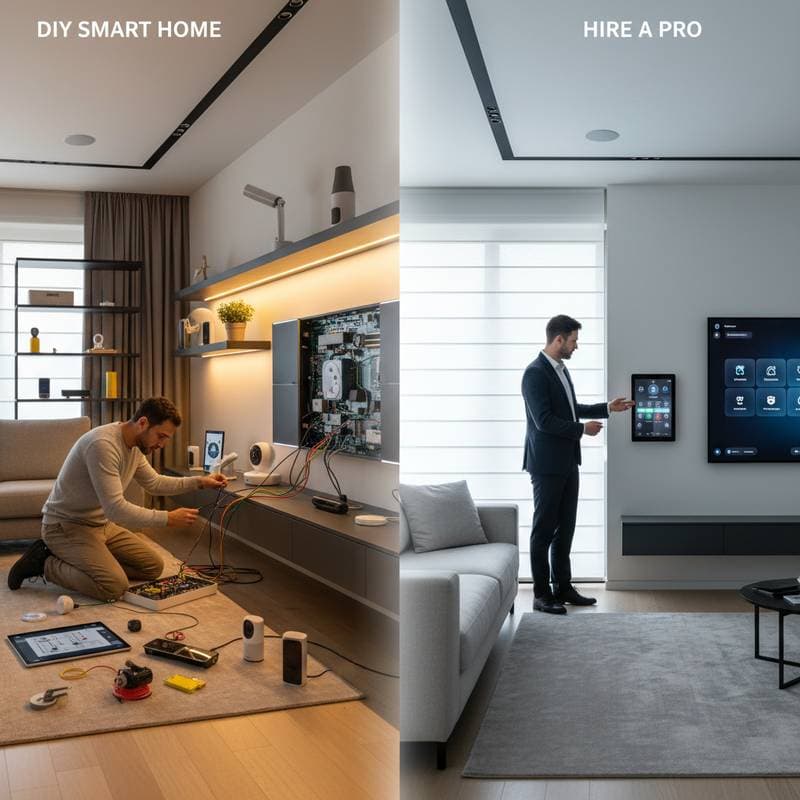
Weighing DIY Enthusiasm Against Professional Expertise
Smart home technology transforms everyday living through automation and connectivity, yet the installation choice between self-setup and expert assistance defines the experience. Homeowners must evaluate their technical comfort, financial limits, and project scope to avoid frustration or safety risks. This guide examines both options in detail, highlighting practical steps to achieve a reliable, efficient system tailored to individual needs.
Advantages of Handling Installation Yourself
For those with a knack for hands-on projects, DIY smart home setup fosters independence and deepens understanding of interconnected devices. This approach suits beginners who prefer gradual implementation over comprehensive overhauls. By starting with straightforward elements, individuals build competence while customizing their environment to specific preferences.
Building Skills Through Progressive Steps
Commence with uncomplicated additions such as smart bulbs or plugs, which require minimal tools and integrate via simple app pairings. Progress to thermostats by following manufacturer guides that detail wiring connections and calibration processes. Each phase reinforces troubleshooting abilities, ensuring smoother handling of subsequent expansions like motion sensors or automated blinds.
This methodical progression minimizes overwhelm and allows real-time adjustments based on household routines. Homeowners report greater satisfaction from witnessing immediate functionality, such as lights responding to voice commands without external intervention.
Essential Tools for Effective DIY Work
Gather a multimeter to verify voltage levels before connecting devices, alongside insulated screwdrivers for secure fastenings. Include cable ties for organized wiring and a stud finder for mounting hardware on walls or ceilings. A reliable network analyzer app on a mobile device helps assess signal strength, preventing connectivity issues from the outset.
These items, often available at hardware stores for under $100, support safe and efficient installations. Proper preparation with such tools reduces errors and enhances the overall project timeline.
Budget Breakdown for DIY Projects
Basic setups involving plugs, bulbs, and a central hub typically cost between $200 and $500, depending on brand quality. Adding security cameras or locks increases expenses to $1,000, but avoids labor fees that can double professional quotes. Account for ancillary costs like extended warranties or signal boosters, which maintain system performance over time.
Spreading purchases across months aligns with financial planning, making advanced features accessible without strain. Track expenditures using simple spreadsheets to monitor value against functionality gains.
Potential Challenges and Mitigation Strategies
Circuit overloads arise when high-draw devices share lines, leading to frequent outages; distribute loads across multiple breakers to resolve this. Inadequate Wi-Fi signals disrupt remote controls, so position extenders strategically or upgrade to mesh networks for uniform coverage. Device incompatibilities between platforms like Zigbee and Z-Wave demand unified hubs; select versatile controllers early to streamline future additions.
Address these proactively by consulting online forums or device manuals before full commitment. If issues persist, temporary halts allow for targeted fixes, preserving project momentum.
Integrating DIY Efforts with Professional Support
A combined strategy maximizes benefits by leveraging personal involvement for routine tasks and expert input for intricate elements. This balance controls expenses while upholding quality standards. Homeowners gain confidence through self-managed portions, supplemented by professional oversight on high-stakes components.
Structured Hybrid Implementation Plan
- Initiate with Accessible Components: Install battery-operated items like sensors and plugs, which bypass electrical modifications.
- Incorporate Moderate Complexity: Tackle wired thermostats after verifying compatibility, using step-by-step videos for guidance.
- Engage Specialists for Advanced Features: Delegate custom wiring for panels or multi-room audio systems to certified technicians.
This tiered framework accommodates varying skill levels and project scales. It facilitates seamless scalability, as initial DIY work integrates effortlessly with later professional enhancements.
Essential Practices for a Robust Smart Home
Consistency in setup routines ensures longevity and security across all devices. Clear documentation and proactive maintenance form the foundation of trouble-free operation. These habits transform initial investments into enduring conveniences.
Label every component with descriptive tags, such as "Living Room Motion Sensor," to simplify management during updates or repairs. Secure networks through WPA3 encryption and regular firmware updates to thwart unauthorized access. Maintain a centralized log of configurations, including IP addresses and pairing codes, for swift issue resolution.
Select modular platforms like Matter-compatible devices to future-proof the ecosystem against emerging technologies. Regular audits of battery life and software versions prevent downtime, sustaining peak performance year-round.
Achieving Seamless Connectivity and Daily Benefits
A well-executed smart home enhances efficiency by automating routines, from energy-saving adjustments to enhanced security monitoring. Homeowners experience reduced utility bills and heightened peace of mind through reliable integrations. This thoughtful approach yields a personalized space that evolves with lifestyle changes, delivering sustained value and convenience.