
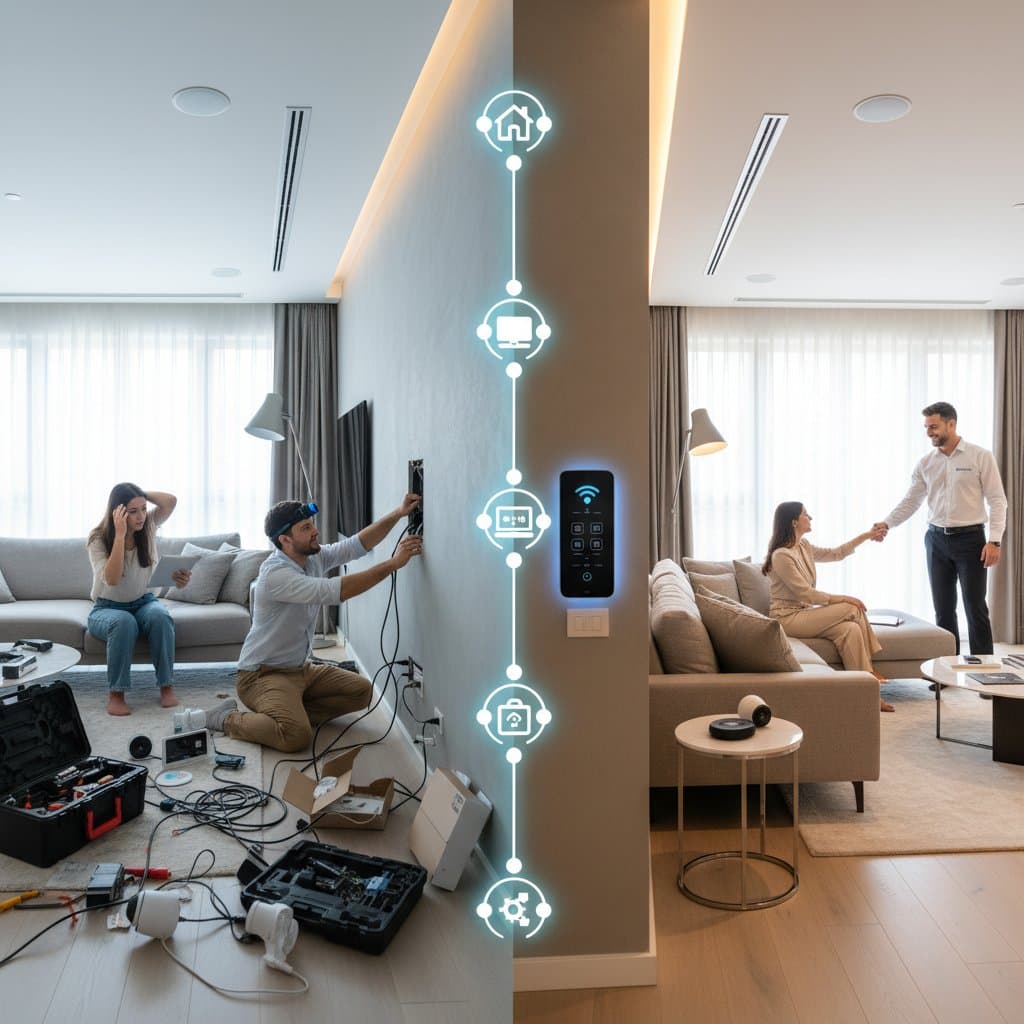
DIY vs Pro: Smart Home Costs That Surprise You
The moment you commit to a smart home upgrade, visions of voice-activated lights, adaptive thermostats, and secure door locks emerge. However, the decision between DIY installation and professional services introduces hidden costs that influence reliability, sustainability, and expansion potential. These factors extend beyond initial expenses to affect long-term performance.
During my initial smart lighting installation, I expected a straightforward process of bulb replacement and app setup. Instead, I encountered a faulty dimmer switch, required a Wi-Fi hub purchase, and repaired wall damage from improper cabling. Such experiences reveal that true costs often exceed product labels.
Key Cost Factors That Catch Homeowners Off Guard
Smart home systems blend technology with home infrastructure, so expenses arise from hardware, wiring, Wi-Fi, and device interactions. Common overlooked elements include:
- Compatibility upgrades: In older homes, smart lighting demands updated switches or neutral wires, costing $100 to $400 per room.
- Network expansion: Reliable automation requires robust Wi-Fi; mesh networks or extenders add $150 to $500.
- Hub or bridge requirements: Certain devices need a central hub at $50 to $200, often with expert setup.
- Subscription services: Brands impose fees for cloud features or automation, ranging from $5 to $25 monthly.
- Integration complexity: Linking multiple systems increases needs for programming or fixes.
Anticipating these allows informed choices between self-installation and expert help.
The DIY Smart Home: Flexibility at a Price
DIY appeals to those who enjoy hands-on projects, much like assembling furniture or restoring woodwork. Initial costs appear attractive; a basic room setup with bulbs, plugs, and a voice assistant totals around $250. This approach suits beginners testing automation.
Where DIY Shines
Self-installation excels in scenarios where you:
- Begin with simple elements like lighting, plugs, or audio devices.
- Possess stable Wi-Fi and few gadgets.
- Relish problem-solving and experimentation.
- Seek brand variety and adaptability.
In rentals or apartments, plug-and-play options avoid permanent alterations and remain portable upon relocation.
Where DIY Falls Short
Challenges arise with growth. Adding thermostats, cameras, or routines demands multiple apps and risks network strain.
Overlooked expenses encompass:
- Specialized tools: Items like voltage testers or strippers cost $20 to $60.
- Replacement parts: Faulty wiring leads to $50 to $200 in fixes.
- Time investment: Dedicate weekends to routines and connectivity issues.
A $250 lighting project may climb to $700 with dimmers, hubs, and coverage additions. Initial savings often yield to time and frustration.
Professional Installation: Paying for Precision
Professional services elevate costs but ensure dependability. A comprehensive system covering lighting, thermostats, sensors, and security spans $3,000 to $10,000, based on home size and features. This investment secures expertise and integration.
What Professionals Bring to the Table
Trained installers evaluate electrical setups, network signals, and compatibility prior to work. They deploy tools to chart Wi-Fi and pinpoint disruptions, while adhering to safety codes that amateurs might miss.
Experts also:
- Position hubs and routers for optimal reach.
- Unify diverse brands into one interface.
- Extend warranties on work and components.
- Design for growth without rewiring.
For those prioritizing smooth voice control and performance, this method minimizes errors and upkeep.
The Hidden Value of Professional Systems
Expert setups enable sophisticated functions, such as daylight-synced lights or occupancy-based heating. Security merges locks and alerts for full monitoring.
Higher per-device prices create a cohesive network rather than isolated tools. Many providers include maintenance and updates to sustain value.
Comparing Costs: DIY vs Pro
Evaluate initial and recurring expenses for typical features.
| Smart Home Feature | DIY Cost (Approx.) | Professional Cost (Approx.) | Notes |
|---|---|---|---|
| Smart Lighting (8 rooms) | $600 - $1,200 | $1,800 - $3,000 | Expert wiring reduces dimming issues and flickers |
| Smart Thermostat | $150 - $300 | $450 - $800 | HVAC adjustments often need professional handling |
| Security Cameras | $250 - $600 | $800 - $1,500 | Includes enhanced network protection |
| Smart Door Locks | $150 - $400 | $500 - $900 | May involve door alterations or specialized tools |
| Voice Control Integration | $100 - $250 | $300 - $700 | Unifies assistants into a single platform |
| Network Optimization | $150 - $500 | $400 - $1,000 | Pros configure mesh systems for superior efficiency |
Full setups differ by thousands, yet professional options cut future repairs and conflicts.
When DIY Makes Sense and When It Does Not
Hybrid strategies often prove effective, combining self-setup for basics with experts for intricacies.
Opt for DIY if:
- Targeting a compact area or single feature.
- Eager to master technology.
- Capable of basic electrical tasks.
- Aiming to manage budgets incrementally.
Choose professionals for:
- Aged wiring or intricate HVAC.
- Centralized app or hub control.
- Emphasis on durability versus savings.
- Homes nearing sale, boosting appeal.
View DIY as exploration and pros as refinement.
Sustainability and Long-Term Value
Effective smart tech enhances efficiency, but inconsistencies waste power. Experts fine-tune for insulation and habits; DIY defaults may underperform.
Durable systems minimize waste through support and modularity. Select open-compatible devices for longevity in either path.
Focus on balanced living that cuts energy use while upholding security and ease.
Hidden Costs Beyond the Hardware
Post-installation fees include cloud storage, premium features, and warranties, totaling hundreds annually. Security monitoring ranges $20 to $50 monthly; AI analytics add more.
Batteries in sensors and locks require frequent swaps, turning minor costs into routines for larger arrays.
Scale thoughtfully to match needs and avoid excess.
Pro Tips for Success
Apply these steps regardless of approach:
- Audit your home first. Map Wi-Fi, outlets, and power before buying.
- Choose brands with open ecosystems. This avoids upgrade traps.
- Plan for future expansion. Pick scalable hubs and routers.
- Label and document installations. Record locations, credentials, and changes.
- Schedule updates. Regular firmware boosts security without disruptions.
- Prioritize energy-saving devices. Thermostats and lights deliver ongoing savings.
These tactics curb issues and extend benefits.
Living with Your Smart Home
With setup complete, daily enhancements unfold: lights dimming for rest, preemptive heating, and automatic securing. These affirm the effort invested.
Maintain engagement through updates to keep efficiency and safety intact. Refine automations to suit evolving routines, fostering a responsive environment.
Ultimately, select the path aligning time, comfort, and reliability with your habits for seamless home integration.