
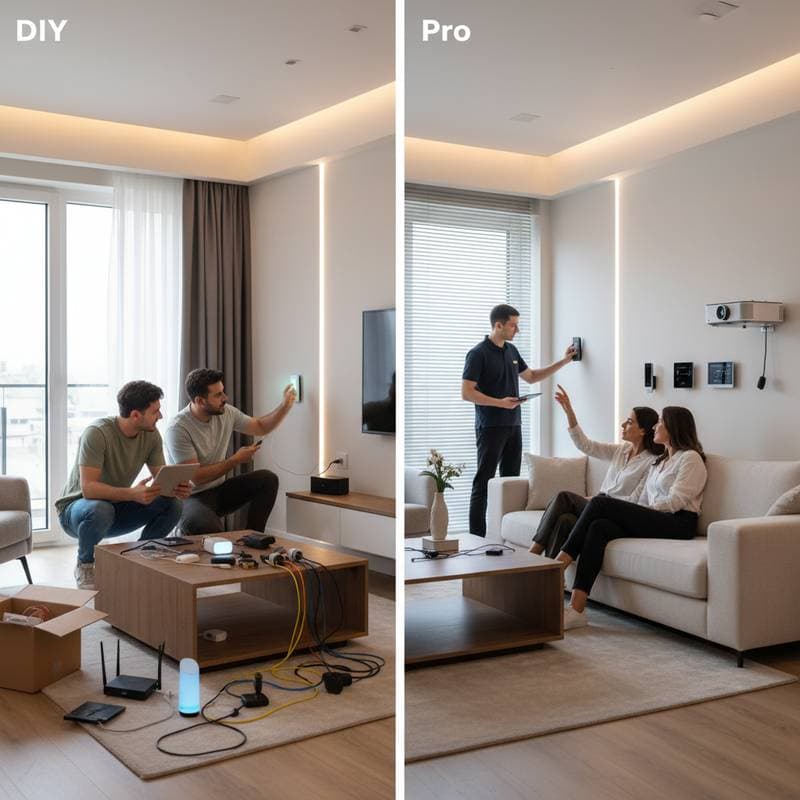
Save Big: DIY vs Pro Smart Home Setup Costs
Many homeowners consider upgrading to a smart home system. The appeal lies in controlling lights, thermostats, and security through a single application. The decision between self-installation and professional services affects costs, time investment, and overall results.
Understanding the Smart Home Spectrum
Smart home systems vary from basic voice-activated lights to comprehensive automation for lighting, climate control, and security. Most homeowners begin with simple additions, such as a video doorbell or smart speaker, then expand to include thermostats, locks, and cameras.
Self-installation reduces initial expenses but requires personal effort. Professional services elevate costs yet provide specialized knowledge, dependable performance, and frequently include warranties or maintenance agreements.
DIY Smart Home Setup: Freedom at a Lower Cost
Self-installation allows complete oversight of the project. For individuals comfortable with technology, this approach resembles an engaging weekend task. Systems can grow incrementally as funds permit.
Typical DIY smart home setup costs:
- Smart speaker or hub: $50 to $250
- Smart bulbs and switches: $15 to $50 each
- Smart thermostat: $100 to $250
- Doorbell camera: $100 to $300
- Security cameras: $50 to $200 each
- Smart locks: $100 to $250
Assembling components over time typically results in expenditures of $500 to $1,200 for a solid foundation that addresses lighting, temperature regulation, and basic security. The primary benefit of this method involves adaptability. Select interoperable products, position them according to preference, and tailor functionality to personal needs.
DIY Advantages
- Lower initial cost: Eliminate labor charges and service agreements.
- Full control: Select preferred brands and features.
- Skill development: Gain proficiency with each installation.
DIY Challenges
- Time commitment: Allocate several weekends for setup and issue resolution.
- Compatibility issues: Devices may not integrate seamlessly.
- Limited support: Handle all technical problems independently.
Time represents the primary concealed expense in self-installation. Positioning a smart thermostat requires about one hour under ideal conditions, but non-standard wiring can extend this to multiple hours. Individuals who value patience and experimentation find satisfaction in the process. Those who dread configuring network parameters may prefer expert assistance.
Professional Smart Home Setup: Convenience and Confidence
Engaging certified installers creates an integrated smart environment without personal involvement in technical details. Services encompass initial assessments, precise placement, and fine-tuning to guarantee cohesive operation. Initial outlays increase, yet the ease and dependability often justify the investment.
Typical professional installation costs:
- Basic consultation and setup: $150 to $500
- Mid-range system with lights, locks, and thermostat: $1,000 to $3,000
- Full-home automation including security and entertainment: $3,500 to $10,000 or more
Experts frequently deploy unified hubs that link various devices. They also optimize network capacity to avoid connectivity disruptions in the future.
Professional Advantages
- Expert integration: Devices function in harmony.
- Time savings: Complete configuration occurs rapidly.
- Ongoing support: Access to maintenance and enhancements.
Professional Drawbacks
- Higher cost: Fees for labor and advice accumulate quickly.
- Reduced flexibility: Commitment to particular brands or platforms.
- Scheduling constraints: Coordinate with installer availability.
Homeowners seeking effortless operation benefit from professional services. This option suits expansive properties or integrations involving lighting, heating systems, and security.
Comparing Costs and ROI
Cost analysis extends beyond immediate expenses to include dependability, scalability, and property value enhancement.
Self-installed systems minimize upfront spending but demand ongoing maintenance. Professional setups involve greater initial investment yet deliver superior longevity, particularly for resale. An expertly configured network appeals to potential buyers, especially with features that promote energy conservation, such as automated thermostats and lights.
Evaluate return on investment through savings and usability:
- Energy efficiency: Thermostats lower utility costs by 10 to 15 percent.
- Insurance benefits: Qualifying security setups qualify for premium reductions.
- Reliability value: Consistent performance enhances daily comfort.
Safety and Security Considerations
Connected devices rely on Wi-Fi, making network protection essential alongside physical safeguards. Implement robust passwords, two-factor authentication, and regular firmware updates regardless of installation method.
For self-installation, adhere strictly to product manuals, particularly for electrical work. Consult a licensed electrician for any wiring uncertainties to prevent hazards. A combined strategy proves effective: manage straightforward elements like cameras and lights personally, while delegating intricate components such as thermostats and locks to specialists.
Finding the Right Balance
A hybrid model avoids extremes. Handle basic tasks independently and engage professionals for demanding aspects. This method optimizes expenses against reliability.
Purchase items like bulbs, outlets, and speakers directly, then contract experts for central integration of thermostats, security, and hubs. Savings apply to uncomplicated purchases, with professional assurance for critical functions.
Making It Happen
Establish a budget and identify key objectives, whether energy savings, enhanced protection, or simplified controls. Introduce one or two devices initially to assess compatibility with routines, then scale accordingly.
For extensive endeavors, obtain estimates from multiple certified providers. Inquire about coverage periods, assistance options, and alignment with existing equipment.
Smart technology aims to simplify existence. Select the path that aligns with skills and goals to achieve an intelligent, efficient residence.