
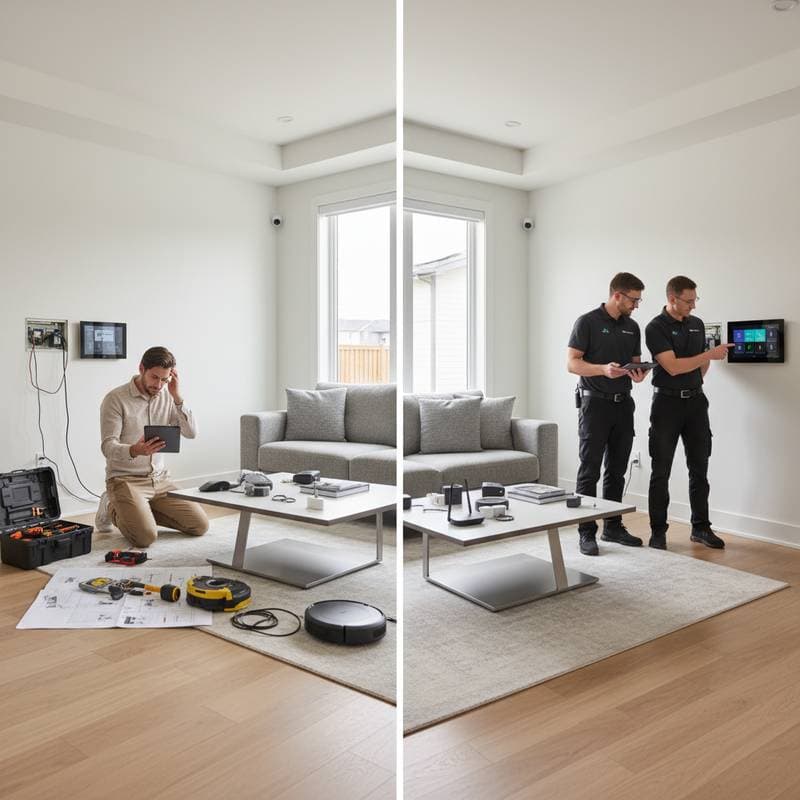
DIY Smart Home vs. Professional Installation: Balancing Cost and Quality
Homeowners often envision a smart home where lights respond to voice commands, thermostats optimize energy use, and security systems activate automatically. Achieving this vision requires installation, prompting a key decision: handle the setup personally or engage a professional. This choice influences not only expenses but also the system's reliability and ease of use.
A well-executed smart home enhances convenience and efficiency. However, improper setup can lead to connectivity issues or security vulnerabilities. The following analysis examines both options by evaluating costs, technical demands, safety considerations, and enduring benefits.
Benefits of a DIY Smart Home Setup
Primary Advantages
-
Reduced Initial Expenses: Basic DIY projects begin with investments as small as $100 for smart bulbs or plugs. A comprehensive system including a central hub, thermostat, and lighting controls typically ranges from $300 to $800 when installed independently.
-
Complete Customization: Select devices that align with specific needs, program routines such as automated evening lighting, and upgrade components incrementally without external approvals.
-
Gradual Expansion: Initiate with essential items like a smart lock, then add features such as motion-sensor lights, allowing testing of device interoperability before further spending.
Potential Drawbacks
DIY approaches demand familiarity with technology. Incompatible devices from different manufacturers may fail to sync, resulting in erratic performance. Additionally, dependence on home Wi-Fi networks means weak signals in larger spaces can disrupt operations.
Security represents another concern. Incorrect settings might expose the network to unauthorized access, particularly if default passwords remain unchanged. Addressing these requires ongoing vigilance and updates.
Required Expertise and Effort
Novices should allocate four to six hours per device for research, mounting, and configuration. Tasks like wiring a smart thermostat involve basic electrical knowledge and app integration. Individuals proficient in smartphone applications and simple tools can complete foundational setups over a single weekend, starting with plug-and-play options.
Professional Smart Home Installation: Expertise and Assurance
Hiring certified installers ensures a cohesive system from the outset. Professionals assess the home's layout, recommend compatible hardware, and integrate elements like cameras, alarms, and climate controls into a unified platform.
Core Benefits
-
Seamless Integration: Experts configure devices to work across ecosystems, such as linking lights to security triggers, minimizing compatibility errors.
-
Enhanced Security and Safety: Installers apply advanced protocols, including encrypted connections and firmware updates, reducing breach risks. They also ensure compliance with electrical codes to prevent hazards.
-
Comprehensive Support: Many services include warranties covering labor, remote diagnostics, and maintenance plans, providing peace of mind for complex systems.
Associated Costs and Considerations
Professional setups range from $1,500 for basic automation to over $5,000 for full-home integration, including labor and custom wiring. While the upfront cost exceeds DIY, long-term savings arise from fewer errors and energy-efficient designs. Time commitment drops to consultations and minimal oversight, ideal for those with limited technical skills.
Comparative Analysis
| Aspect | DIY Approach | Professional Approach |
|---|---|---|
| Startup Cost | $100 - $800 | $1,500 - $5,000+ |
| Time Required | Substantial (10-20 hours) | Minimal (1-2 days on-site) |
| Customization Level | User-directed flexibility | Expert-tailored precision |
| Ongoing Maintenance | Independent handling | Included in packages |
| Warranty Coverage | Product-specific | Full system, including installation |
| Security Measures | Self-implemented | Professionally optimized |
This overview reveals that savings with DIY come at the expense of effort, whereas professional services prioritize durability and convenience.
Resolving Typical Smart Home Challenges
Connectivity issues often stem from Wi-Fi limitations. Solutions include installing a modern router with dual-band support or deploying mesh networks to cover 2,000 square feet effectively.
Device incompatibilities decrease by adhering to standards like Zigbee or Z-Wave. Central hubs from brands such as Samsung or Amazon facilitate multi-protocol management.
Power inconsistencies require checking device specifications against household voltage, typically 120V in the US, and using surge protectors. For voice control errors, assign unique labels in the app, such as 'front porch light' instead of generic terms.
Persistent problems suggest a hybrid strategy: manage simple additions like plugs independently, while delegating intricate elements such as whole-home audio or surveillance to specialists.
Building Your Ideal Smart Home
Select the approach that aligns with personal capabilities and priorities. Tech-savvy individuals benefit from DIY experimentation, gradually assembling a system that evolves with needs. Professionals suit those seeking immediate functionality without trial and error.
Ultimately, a hybrid model maximizes advantages: leverage self-installation for affordability and hire experts for critical integrations. This method yields a secure, efficient home that adapts to daily routines, delivering sustained value through automation.