
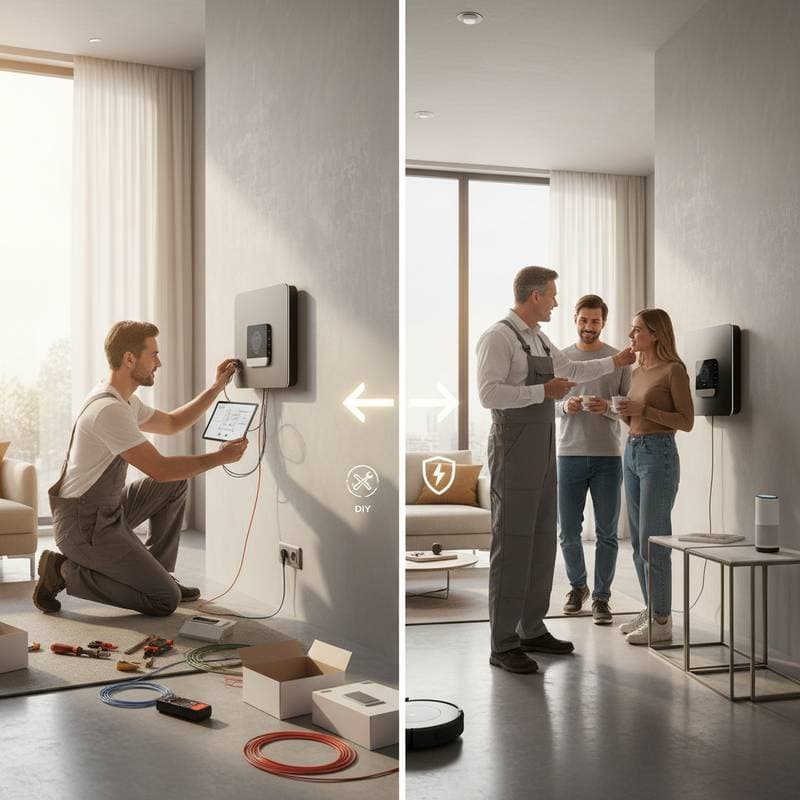
Should You Handle Your Smart Home Setup Yourself or Hire a Professional?
Imagine a residence where lights dim on command, temperatures adjust for comfort, and security monitors activity around the clock. Such capabilities define the modern smart home, yet achieving them requires thoughtful planning. The decision to install these systems personally or engage a specialist hinges on factors like technical proficiency, financial constraints, and desired level of integration. This guide examines both options in detail, providing insights to align your choice with practical realities and future aspirations.
DIY Smart Home Setup: Empowerment Through Hands-On Effort
Opting for a do-it-yourself approach grants homeowners control over the process, allowing customization at a pace that suits individual circumstances. This method suits those who enjoy technology and prefer incremental progress. Begin with simple additions, such as voice-activated controls, and evolve toward comprehensive automation as confidence grows.
Cost and Time Expectations
Initial expenses vary by scope. For entry-level enhancements, allocate $200 to $500 toward essentials like Philips Hue smart bulbs, TP-Link smart plugs, and an Amazon Echo or Google Nest Hub voice assistant. Mid-level projects, incorporating a Ring doorbell camera, Nest Learning Thermostat, and Lutron Caseta wireless lighting system, typically range from $800 to $1,500.
Time investment depends on familiarity with devices. Allocate two to four hours per item for unboxing, app pairing, and initial testing. Factor in additional periods for resolving connectivity glitches, such as signal interference from thick walls or outdated routers, which may extend setup over several days.
Advantages
- Flexibility in Growth: Introduce components gradually, adapting to lifestyle shifts or emerging innovations like Matter-compatible devices that ensure broader compatibility.
- Reduced Expenses: Eliminate professional fees, focusing solely on hardware purchases, which can save 30 to 50 percent compared to full-service installations.
- Skill Development: Acquire knowledge of home networking, including mesh Wi-Fi optimization and Zigbee protocol basics, fostering independence for future adjustments.
Challenges
Technical hurdles often arise with connectivity. Weak Wi-Fi signals or mismatched protocols, such as Z-Wave versus Wi-Fi devices, lead to unreliable performance and repeated reconfiguration.
Warranty implications pose risks; for instance, some brands like Honeywell limit coverage for thermostats if non-certified wiring occurs. Safety issues emerge with tasks involving electrical outlets or outdoor camera mounts, where improper handling could result in hazards like short circuits or falls.
For individuals proficient in smartphone apps and basic troubleshooting, this route yields rewarding results. However, extensive integrations, such as linking HVAC systems to smart hubs, demand advanced skills that may frustrate novices.
Decision Framework: Aligning Choices with Your Circumstances
Evaluate options using this structured comparison to match the approach with your situation.
| Criteria | DIY Setup | Professional Installation |
|---|---|---|
| Budget | Ideal for constrained funds or phased spending | Involves upfront premiums yet promises durability |
| Skill Level | Suited to those adept with software and tools | Perfect for individuals lacking technical know-how |
| System Complexity | Appropriate for isolated items like plugs or sensors | Crucial for unified networks and custom automations |
| Time Available | Demands multiple sessions for assembly and fixes | Delivered swiftly through scheduled professional work |
| Support and Warranty | Relies on vendor resources and self-resolution | Offers dedicated assistance and extended guarantees |
This table highlights how personal attributes, rather than device specifics, drive the optimal selection. Consider your daily routine; for example, busy professionals may prioritize efficiency over hands-on involvement.
Professional Installation: Expertise for Seamless Integration
Hiring a certified installer ensures precision, particularly for elaborate setups. Specialists from companies like Control4 or local AV integrators assess your space, recommend compatible hardware, and execute wiring to code standards.
Cost and Time Expectations
Professional services add $1,000 to $5,000 to device costs, depending on scale. Basic voice and lighting integrations might total $2,000 overall, while full-home systems with custom keypads and energy monitoring could reach $10,000.
Installation occurs over one to three days, minimizing disruption. Pre-visit consultations refine plans, and post-setup training equips you with usage basics, reducing future self-troubleshooting.
Advantages
- Comprehensive Compatibility: Experts select and configure devices for optimal interplay, avoiding pitfalls like protocol mismatches that plague DIY efforts.
- Enhanced Security and Safety: Certified electricians handle high-voltage integrations, complying with local regulations and mitigating risks such as fire hazards from faulty wiring.
- Ongoing Reliability: Access to professional monitoring, remote diagnostics, and upgrades sustains performance, often backed by multi-year service agreements.
Challenges
Higher costs deter budget-conscious users, and scheduling waits during peak seasons extend timelines. Customization may feel limited if vendors push proprietary solutions over preferred brands.
This option excels for complex environments, like multi-story homes requiring wired backbones or integrations with existing alarm systems.
Maintaining Your Smart Home for Optimal Performance
Sustained functionality requires proactive care. Conduct quarterly reviews to apply firmware updates via manufacturer apps, which patch vulnerabilities and introduce features like improved voice recognition.
Inspect connections for wear, especially in high-traffic areas, and secure backups of custom routines to cloud storage. For battery-dependent elements, such as door sensors from August or Kwikset locks, swap power sources every six months to prevent failures.
If automation governs critical areas like climate control or entry points, arrange yearly evaluations by qualified technicians. These assessments verify structural integrity, test failover mechanisms, and optimize energy efficiency, ensuring your investment endures.
Steps to Implement Your Chosen Setup
Start by inventorying current home infrastructure, including router speed and outlet availability. Research devices through platforms like CNET reviews for reliability ratings.
For DIY, follow sequential guides: secure a stable network first, then pair devices one category at a time. Professionals benefit from detailed briefs on priorities, such as energy savings over entertainment focus.
Regardless of path, test thoroughly post-installation, simulating routines like evening lockdowns. This preparation transforms your space into a responsive haven, enhancing daily life with minimal effort.