
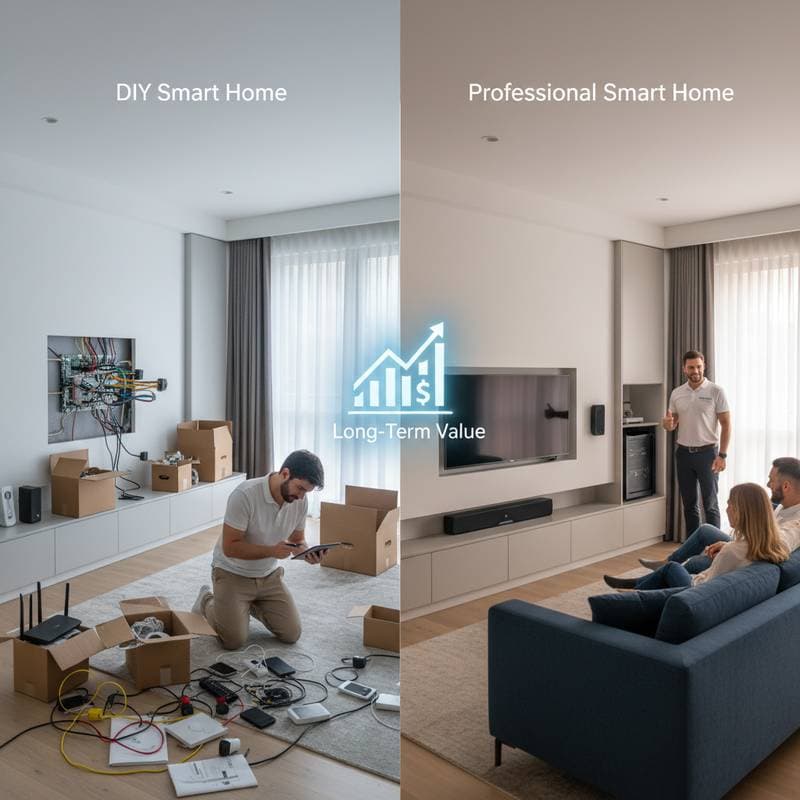
Surprising Costs: DIY vs Pro Smart Home Setup
When you picture your ideal smart home, you might imagine lights that dim automatically as the sun sets or a thermostat that learns your daily rhythm. The appeal is strong, and the promise of convenience and efficiency makes automation feel like a natural next step. Yet once you start pricing devices and installation options, the question becomes less about what to buy and more about how to set it all up. Should you handle it yourself or bring in a professional? The cost difference is not as straightforward as it seems.
The Hidden Costs Behind DIY Smart Home Projects
A DIY smart home setup looks affordable at first glance. You can buy a set of smart bulbs for less than the cost of a dinner out, install a video doorbell in under an hour, and add a few voice-controlled plugs to make everyday tasks easier. The average homeowner can begin automating for around $400 to $800 using consumer-grade devices.
Yet that price tag hides several layers of cost that only surface once you start connecting everything. The first is compatibility. Devices from different brands often speak slightly different languages. That means you might need a hub, bridge, or subscription service to make them cooperate. Each hub can add $100 to $250 to your total, plus the time spent researching and troubleshooting.
Then there is the issue of your network. Smart systems rely on strong Wi-Fi coverage, so you may find yourself upgrading routers or adding mesh extenders. A reliable mesh system runs between $150 and $400, depending on the size of your home. Without it, you can end up with lights that flicker offline or cameras that lag when you need them most.
The Value and Expense of Professional Installation
Hiring a professional may sound extravagant, but the math shifts when you consider the complexity of full-home integration. A professional installer typically charges $75 to $150 per hour, and a complete setup for a mid-sized home ranges from $1,500 to $4,000, depending on the number of devices and the wiring required. This includes system design, installation, and configuration.
The advantage lies in seamless performance. Professionals calibrate devices to work together, integrate them into unified control apps, and ensure that each sensor, lock, and switch operates reliably. They can also conceal wiring and mount cameras without damaging surfaces. For homeowners who value aesthetics or are renovating, this attention to detail can be worth the higher price tag.
A less obvious benefit is long-term support. Many professional installers offer maintenance packages or on-call troubleshooting. When a firmware update breaks connectivity, you have someone to call rather than spending hours on support forums. That reliability can save both time and frustration.
The Cost of Mistakes and the Price of Expertise
DIY projects often start with excitement and end with a small pile of unused parts. It is easy to underestimate how much trial and error goes into getting devices to cooperate. A misplaced sensor or incorrect wiring connection can lead to hours of debugging or even a short circuit that damages equipment. Replacing a single smart switch costs about $50 to $80, but replacing several due to wiring errors can push your costs closer to professional rates.
Professionals, on the other hand, bring both experience and insurance. Licensed installers carry liability coverage that protects you if something goes wrong. They are also familiar with local electrical codes, which is crucial if your project involves running new lines or connecting systems to your breaker panel. Mistakes in electrical work can void warranties or create safety hazards, especially in older homes.
Budgeting for the Long Game
Whether you go DIY or pro, the real cost of a smart home unfolds over time. Subscription-based services for cloud storage, security monitoring, or voice assistant integration can add $10 to $30 per month. That might not seem like much, but across several years it becomes a meaningful expense.
DIY setups tend to rely on multiple apps, each with its own subscription tier. Professionals often consolidate everything into one platform that can be managed through a single interface. While that streamlines your experience, it can lock you into proprietary systems that are expensive to upgrade later. A hybrid approach, with a professional handling the network backbone and you adding modular devices, often delivers the best balance of control and cost.
Safety and Security Considerations
A smart home is only as secure as its weakest device. DIY installers sometimes overlook critical security steps, such as creating unique passwords for each device or setting up a separate network for smart systems. A professional installer will typically configure these protections by default. Security breaches can cost far more than any installation fee, not only in money but in privacy.
Safety extends to physical risks as well. Installing smart thermostats or lighting systems often involves electrical work that requires proper grounding and breaker management. If you are not experienced, this is an area where hiring a licensed electrician is essential. The cost is usually around $150 to $300 for a few hours of work, which is minor compared to the potential damage from a shorted circuit.
Finding the Right Balance Between DIY and Professional Help
Few homeowners need to choose one path entirely. Many successful smart home projects combine both approaches. You might hire a pro to install the core infrastructure such as smart switches, thermostat wiring, and network setup, then handle the accessory devices yourself. This hybrid model usually costs between $800 and $1,800 and offers both reliability and flexibility.
The key is to identify which tasks match your comfort level. If you enjoy tinkering and troubleshooting, DIY can be rewarding and less expensive. If you value a clean, integrated look and worry about connectivity issues, professional installation provides peace of mind. Always review warranties and check whether DIY modifications could void them before making changes.
Pro Tips for Success
- Start small. Choose one system like lighting or climate control before expanding.
- Invest in your network. A strong Wi-Fi foundation prevents future frustration.
- Plan for expansion. Choose devices compatible with open platforms such as Matter or Thread.
- Keep security in focus. Use two-factor authentication and regular firmware updates.
- Know when to call a pro. Electrical wiring, structural mounting, and complex integrations are best left to licensed experts.
Maximizing Your Smart Home Investment
Once your smart home is in place, focus on maintenance to sustain its value. Regularly update devices to patch vulnerabilities and improve performance. Monitor energy usage through integrated apps to identify savings opportunities, such as adjusting schedules for unoccupied rooms. This ongoing attention ensures your investment continues to deliver convenience and efficiency for years to come.