
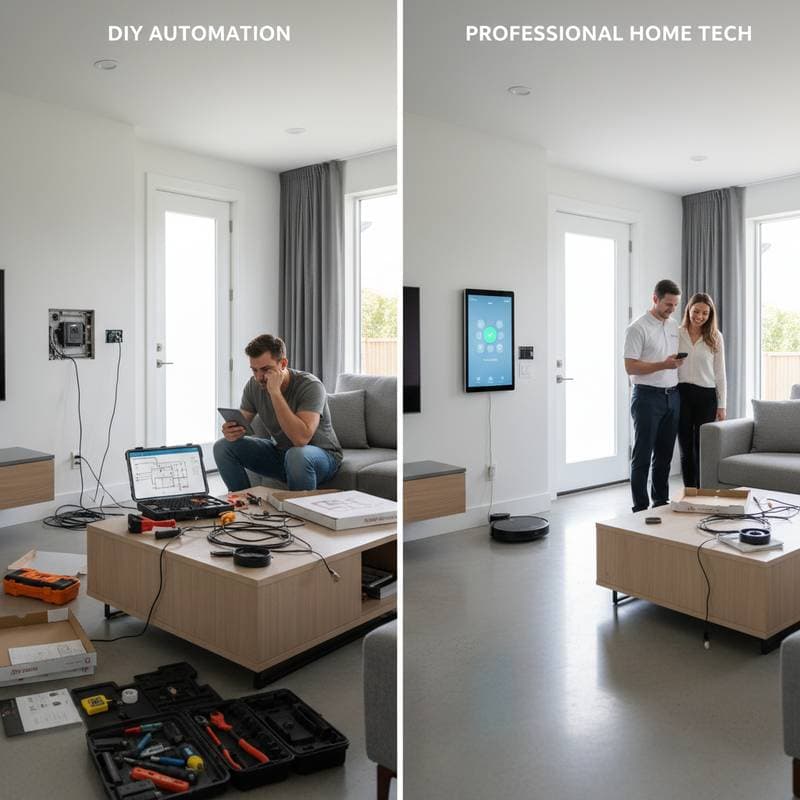
Smart Home Setup: When DIY Costs More Than Hiring Help
Transform your living space into an efficient, connected environment by choosing the right installation approach. This article examines the trade-offs between handling smart home projects yourself and engaging professionals. Readers will gain insights into costs, time commitments, and potential challenges to make informed decisions for a reliable system.
Before selecting a path, evaluate key factors. Consider the number of devices planned for integration, the level of automation complexity desired, and personal proficiency with network configuration. These elements determine whether self-installation aligns with your skills or if expert assistance offers greater value.
Essential Components of a Smart Home System
A well-designed smart home relies on interconnected elements that function smoothly. Start with core devices such as thermostats, lights, locks, and sensors. Central hubs coordinate these items, while robust networking ensures consistent connectivity.
- Devices: Select compatible gadgets like smart bulbs, plugs, and cameras that support your preferred ecosystem.
- Hubs: Choose a central controller, such as a bridge for Philips Hue or a dedicated hub for broader compatibility.
- Networking: Ensure a strong Wi-Fi setup, possibly with extenders, to support multiple devices without lag.
- App Management: Utilize intuitive software to oversee operations via smartphone or voice commands like Alexa or Google Assistant.
Professional Smart Home Installation: Efficiency and Reliability
Individuals seeking flawless operation, particularly in expansive residences or intricate setups, benefit from professional services. Experts handle the nuances of integration, minimizing errors that could disrupt daily use.
Installers possess specialized knowledge in networking protocols, electrical wiring, and device interoperability. They configure systems to operate securely and efficiently, avoiding common amateur mistakes.
Key Advantages
- Time Efficiency: Professionals finish tasks in hours that might consume an entire weekend for novices.
- Seamless Integration: Systems for lighting, heating, entertainment, and security synchronize without conflicts.
- Warranty Coverage: Services often include guarantees on both equipment and installation work.
- Regulatory Adherence: Knowledge of local codes prevents safety hazards and ensures legal compliance.
Typical Cost Breakdown
Expect fees ranging from 500 to 2500 dollars for standard installations, influenced by device count and system intricacy. Comprehensive whole-home solutions may exceed 5000 dollars when incorporating features like distributed audio or sophisticated security.
| Project Type | Average Installed Cost | Timeframe | Ideal For |
|---|---|---|---|
| Smart thermostat and sensors | 300 to 700 dollars | Half day | Homeowners with zoned HVAC systems |
| Smart lighting control | 700 to 1500 dollars | 1 to 2 days | Larger homes with multiple circuits |
| Integrated security system | 1000 to 3000 dollars | 1 to 3 days | Families requiring 24/7 monitoring |
| Whole-home automation | 2500 to 5000 dollars or more | 3 to 5 days | High-end setups with voice and touch controls |
Time Comparison: Professional Versus DIY
Professionals streamline processes through tools and expertise. The table below highlights differences for common tasks.
| Task | DIY Time | Pro Time |
|---|---|---|
| Installing 4 smart switches | 6 hours | 2 hours |
| Setting up 6 security cameras | 8 hours | 3 hours |
| Configuring smart lighting scenes | 4 hours | 1 hour |
Hidden Costs and Frequent Challenges in DIY Projects
Self-installers often overlook expenses beyond initial purchases. Items like additional cabling, brackets, and Wi-Fi enhancements accumulate rapidly.
Frequent problems arise from inadequate planning. Address these proactively to avoid frustration.
- Network Strain: Excessive devices on a fragile Wi-Fi lead to slowdowns. Invest in a mesh system costing 200 to 400 dollars for better coverage.
- Device Incompatibility: Verify alignment with platforms like Alexa, Google Home, or Apple HomeKit prior to acquisition.
- Power Limitations: Certain switches demand a neutral wire absent in older structures, necessitating electrical modifications.
- Vulnerability Risks: Secure setups by activating two-factor authentication and updating default credentials to protect against breaches.
Ongoing Maintenance for Optimal Performance
Smart homes demand regular attention to sustain functionality. Updates and checks prevent downtime and enhance security.
Recommended Practices
- Firmware Updates: Perform monthly checks to address vulnerabilities and improve features.
- Network Monitoring: Restart routers periodically to sustain performance.
- Battery Management: Replace units in sensors every six to twelve months to avoid failures.
- Configuration Backups: Store app settings for swift recovery following disruptions.
Consistent upkeep transforms the system into a reliable asset rather than a source of ongoing effort.
Strategies for Effective Implementation
Begin with modest additions to build confidence. Organize devices by labeling them clearly within apps for easy access.
Maintain records of warranties and login details in a secure location. For professional hires, verify certifications in low-voltage wiring and smart technologies.
Conduct yearly assessments of energy consumption and automation effectiveness to refine operations.
These practices minimize future issues and maximize returns on investment.
Realizing Daily Benefits in a Connected Home
With setup complete, automation enhances routines seamlessly. Lights adapt to schedules, climate controls optimize savings, and alerts arrive promptly via mobile notifications.
The result extends beyond ease to foster a more streamlined lifestyle. Energy efficiency reduces bills, while integrated security provides peace of mind around the clock.